


The best Dressly alternative depends on why you want to switch. My first pick is Beauty AI for outfit feedback, wardrobe planning and photo search together. Choose Style DNA for profile-led guidance, Alta for avatar visualization, Acloset for AI-assisted wardrobe setup, Whering for visual boards, Cladwell for a daily routine, or Indyx for optional human styling. These are seven alternatives to Dressly—not seven apps that all work the same way. Start with one job the replacement must do, then check its free allowance, device support and renewal terms before rebuilding your wardrobe.
I’m David Voskanyan, founder and CTO of Beauty AI. Beauty AI is my No. 1 editorial choice for the combined workflow, not an independent accuracy award. I checked official product information on October 17, 2026 and use developer-supplied screenshots below. This is a researched comparison, not a claim that I performed a fresh hands-on test of every app.
Before switching: what do you want to replace?
Dressly’s official product page describes style and color guidance, capsule ideas, wardrobe organization and virtual try-on. If one of those features already works for you, preserve that requirement in your shortlist. “Another stylist app” is too vague: a shopping-led profile, an outfit board and advice about a photo solve different problems.
- You want to buy less: prioritize suggestions based on identifiable clothes you own.
- You want better outfit feedback: look for a clear explanation and a realistic change, not just a score.
- You want to see a look: compare visualization separately from size and fit, which an image cannot confirm.
- You want a lower bill: check ongoing free access, usage allowances and the actual renewal—not only the introductory price.
Dressly alternatives compared: 7 styling apps
Access conditions can change by country, device and account. I separate free download from free functionality; check the linked official pages and your checkout before subscribing. A trial is not an ongoing free plan.
| App | Devices | Free / paid boundary | Reason to choose it |
|---|---|---|---|
| 1. Beauty AI | iOS / Android | Free download; limited AI use; optional paid plans | Advice about a real outfit, wardrobe planning and photo search |
| 2. Style DNA | iOS / Android | Subscription-led styling; check the current offer and included reports | A style profile, palette guidance and shopping recommendations |
| 3. Alta | iPhone / iPad / Web; check other device availability | Official site says free to use; check current terms | A digital wardrobe, personalized outfit ideas and avatar visualization |
| 4. Acloset | iOS / Android | 100 clothing items free; larger wardrobes require a paid plan | Clothing registration, wardrobe organization and AI outfit suggestions |
| 5. Whering | iOS / Android | Free core closet; Outfit Maker uses Style Pass access | Arranging outfits, planning ahead and exploring shared wardrobes |
| 6. Cladwell | iPhone / iPad / Android; some features differ | Free core catalog; paid styling and AI usage vary by plan | Daily wardrobe suggestions, weather context and stylist chat |
| 7. Indyx | iOS / Android | Unlimited core wardrobe items and outfits; premium tools and styling extra | Cataloging clothes and choosing a person’s advice when needed |
Which of these apps should you actually download?
1. Beauty AI — outfit feedback with your own clothes
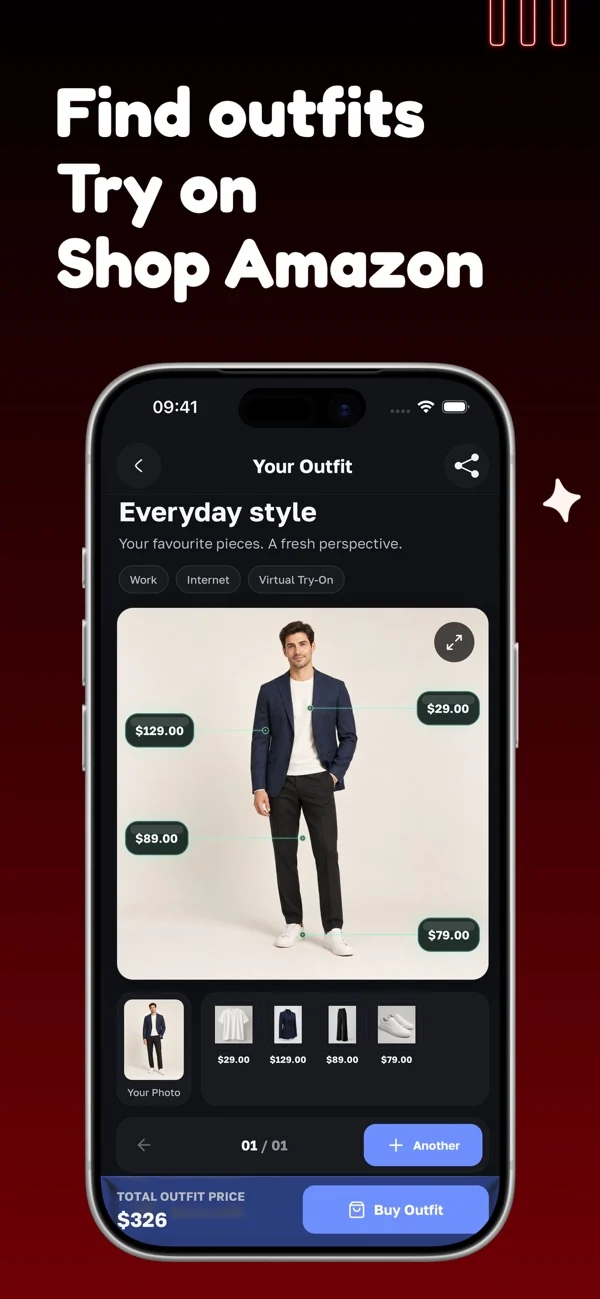
Beauty AI is my first choice when you want help with an outfit you can actually wear today. It combines outfit feedback, planning from your wardrobe, virtual try-on and clothing photo search. Instead of starting with a shopping basket, start with a photo of the clothes you have and the decision you need to make.
For example, keep your jeans and shoes fixed and ask what would make the outfit suitable for a relaxed dinner. Name the venue, walking needs and layers you own. The useful result is a specific change you can evaluate—not a flattering score or a shopping list. Save the combination once you have worn it and know it works.
The limit: free AI access is not unlimited. A generated preview cannot establish size, fabric feel or physical fit. Use the app for outfit decisions, then check the real garments yourself. If you only need a large clothing archive, a closet-first app may be a better starting point.
2. Style DNA — color-led personal style guidance
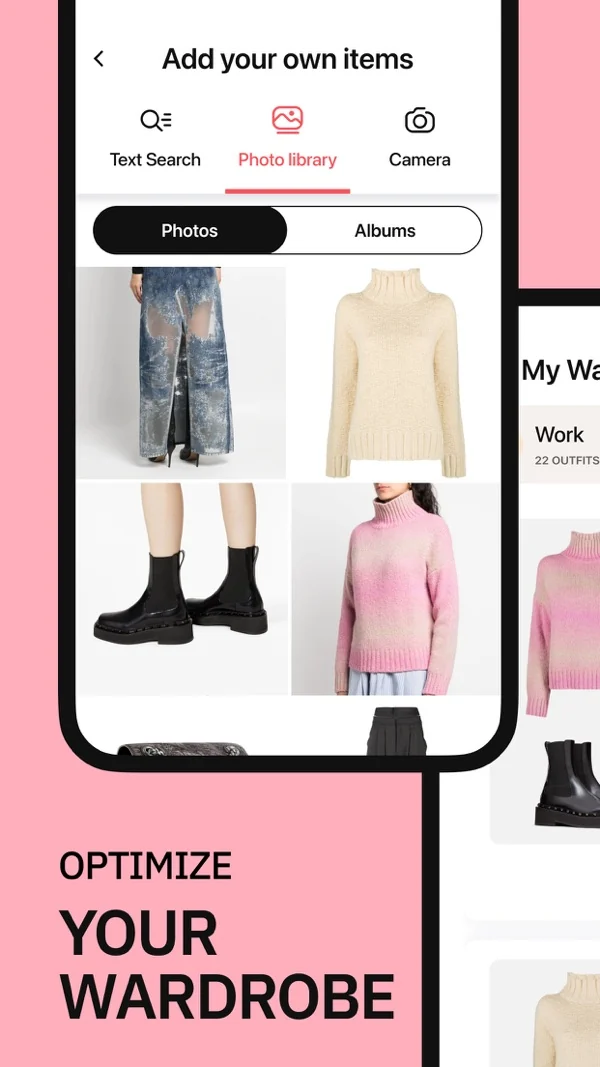
Style DNA brings a personal style profile, color guidance, wardrobe suggestions and shopping into one service. It is a relevant Dressly alternative if you liked having a guided starting point and want advice organized around a profile rather than an empty outfit board.
I would use the profile to narrow choices, not to replace preference. Compare two tops you already enjoy wearing in similar daylight. Ask how the proposed palette relates to those pieces before buying replacements. A recommendation becomes useful when it explains a workable combination, not simply which color category you belong to.
The limit: profile-based suggestions and shopping recommendations are not a fitting service. Check subscription access, any separately offered reports and the renewal amount in your own checkout. Do not assume a downloaded app includes every analysis or an ongoing free styling allowance.
3. Alta — seeing outfit ideas on an avatar
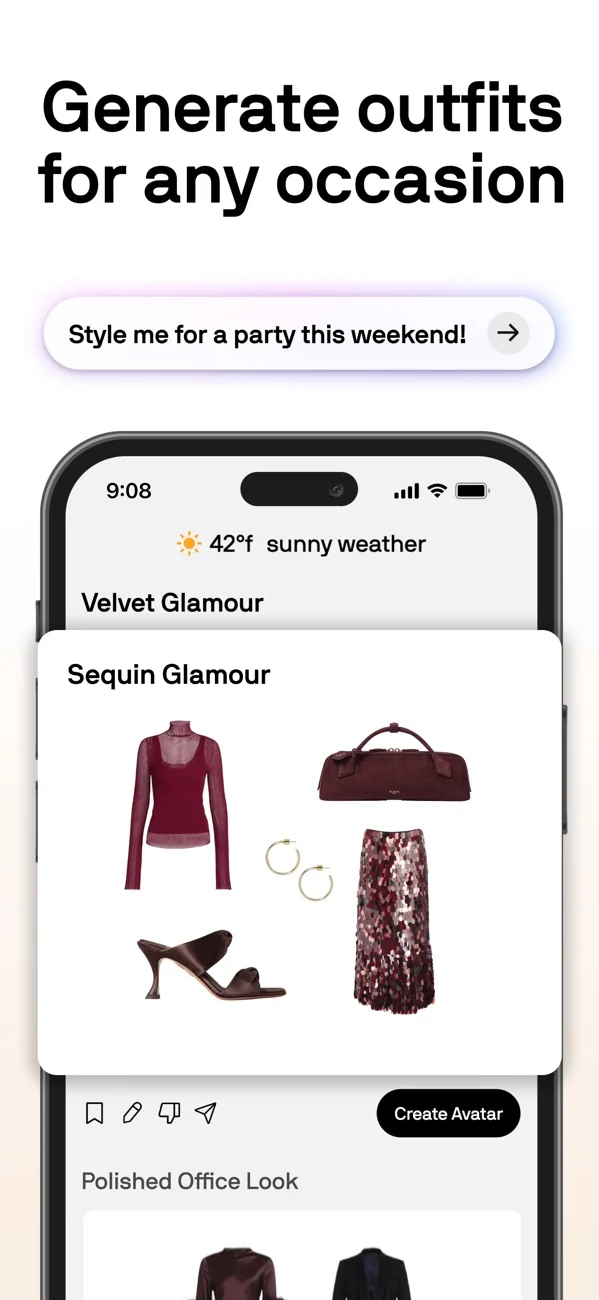
Alta combines a digital wardrobe with personalized outfit suggestions and an avatar-based way to visualize looks. It is worth shortlisting if your main difficulty is imagining how separate pieces become one outfit, rather than deciding which shopping recommendation to follow.
Start with a recognizable group: a frequently worn trouser, two tops, shoes and a layer. Look for suggestions that use those particular pieces. An avatar can help you compare the overall direction, but the outfit still needs to survive your commute, the temperature and the clothes available that morning.
The limit: an avatar is a visualization, not proof of garment fit or a promise that fabric will drape identically. Alta’s site currently describes the app as free to use. Confirm device availability through its own download links and review the current terms rather than assuming that access conditions can never change.
4. Acloset — building an AI-assisted clothing catalog
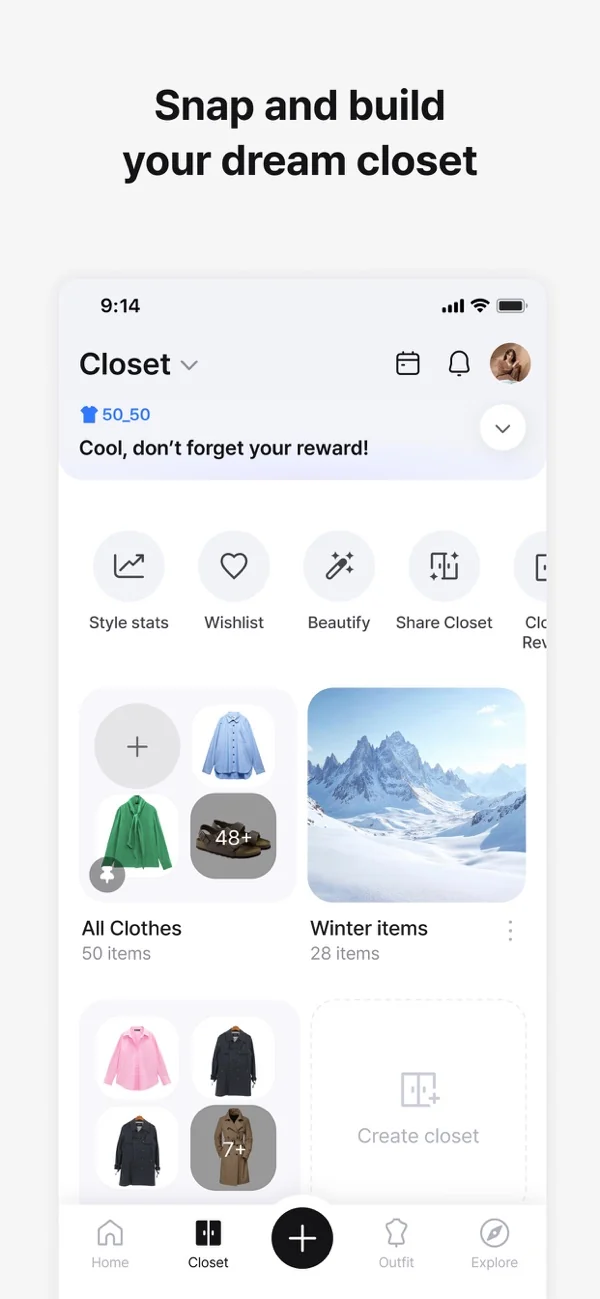
Acloset is an alternative when you want a closet-centered routine: register garments, organize them and use AI styling suggestions. Its official support describes AI-assisted registration and weather-aware outfit recommendations. The published free allowance is 100 clothing items.
Count what you intend to add before uploading everything. Your everyday capsule may fit comfortably inside the allowance; a full collection of clothing, shoes and seasonal pieces may not. Add an awkward item early and check its category and details rather than assuming automatic registration is always correct.
The limit: catalog capacity and the usefulness of advice are different questions. If suggestions ignore your real constraints, correct the wardrobe data and the brief first. Acloset’s support also warns that deleting an account does not cancel its subscription; billing requires separate attention.
5. Whering — visual outfit boards and a social wardrobe
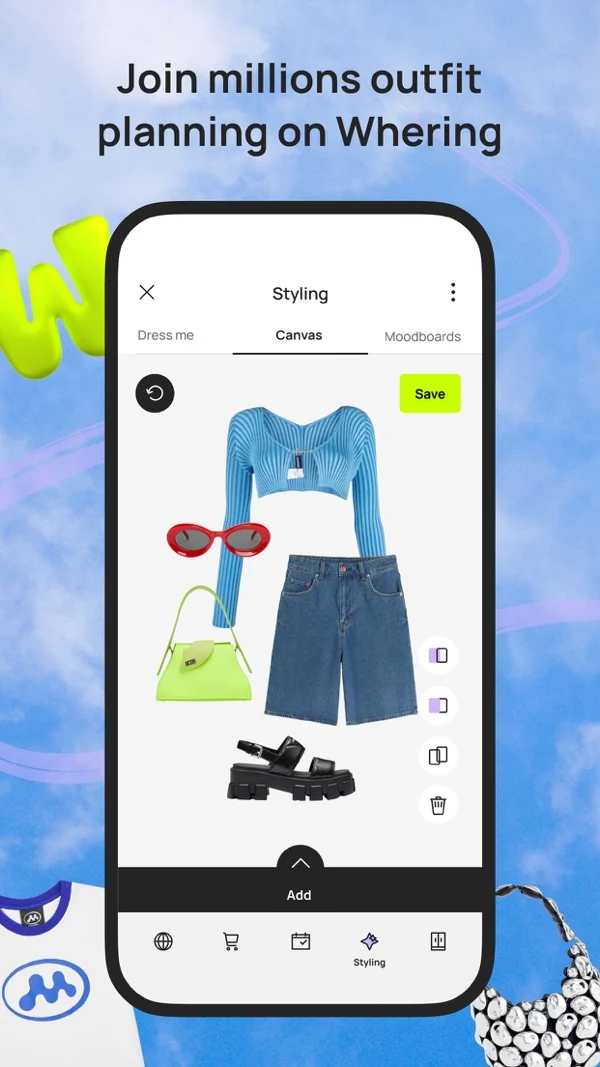
Whering gives you a visual wardrobe, outfit planning, packing tools and social features. It suits someone who wants to see their own clothes together and keep useful combinations, rather than begin with a style quiz. Its free core closet and Style Pass access to Outfit Maker are different parts of the offer.
I would choose it if moving garments around visually helps you decide. Build tomorrow’s look with the actual shoes and outer layer, not just a top and trousers. Revisit saved outfits after wearing them; a good-looking board and a comfortable day are not always the same thing.
The limit: visual planning still needs your judgment, and social features may be unnecessary if you want a private closet. Check visibility settings and the current Style Pass terms. Free clothing organization should not be read as a promise that every automated outfit feature is free.
6. Cladwell — a repeatable daily outfit routine
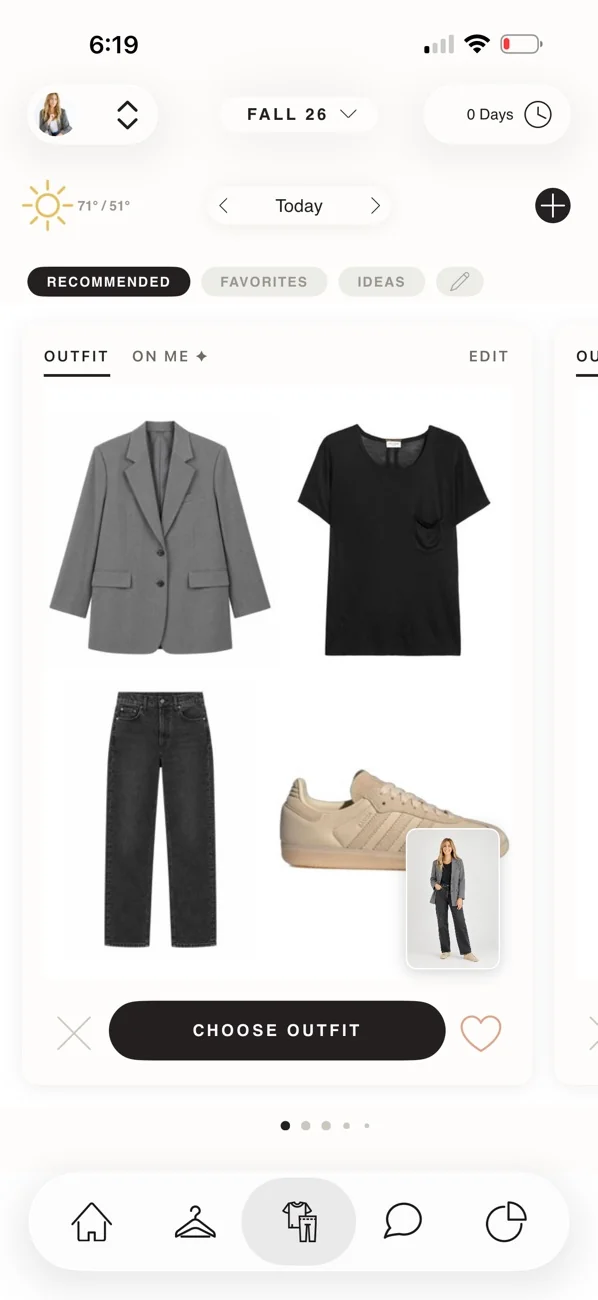
Cladwell focuses on using your wardrobe day after day, with outfit suggestions, weather context and an AI stylist. Its current product page also describes color-profile guidance and a “See it on me” visualization. It is a sensible shortlist choice if your problem is the repeated morning decision, not a one-off event.
Keep the setup realistic: add the pieces you can wear this week, exclude laundry and state how formal work actually is. Daily recommendations are only helpful when the proposed layers and shoes fit your day. A rotation of familiar outfits can be a better result than constant novelty.
The limit: the official site identifies “See it on me” as an iPhone and iPad feature. Do not assume Android feature parity. Check the plan’s AI allowance, trial eligibility and billing interval; a quoted annual monthly equivalent is not a monthly payment.
7. Indyx — a digital closet with optional human styling
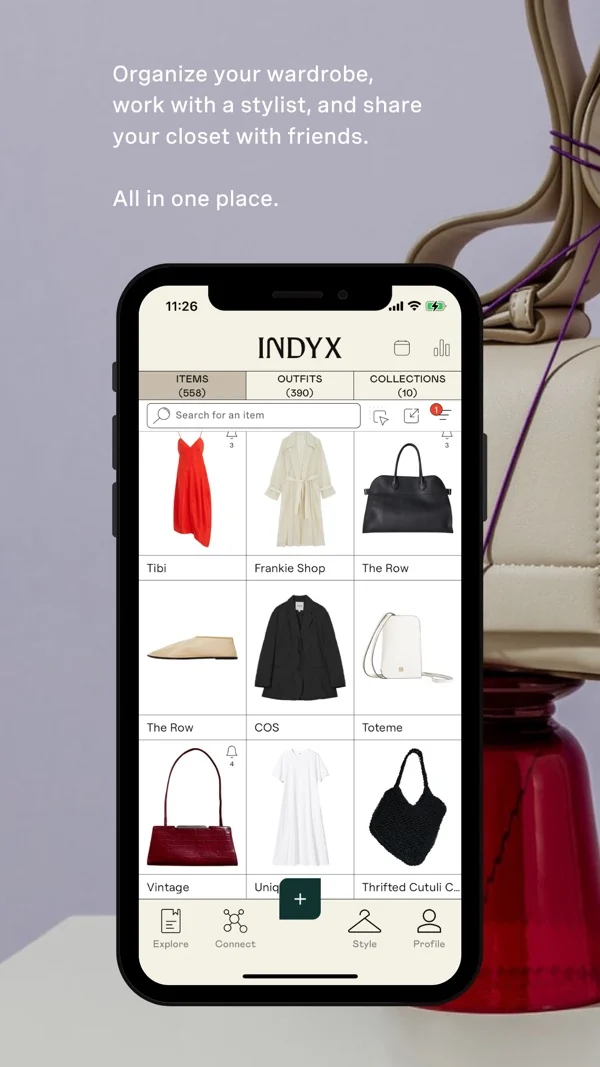
Indyx belongs in this list as a different kind of alternative, not another interchangeable AI stylist. It offers a digital wardrobe with unlimited core items and outfits, alongside optional premium tools and paid human styling. It is relevant when you want a person to work with the clothes you already have.
A helpful styling brief might be “five office outfits from my current wardrobe, no heels, no shopping.” Ask what the chosen service includes and how the advice is delivered. Human styling can be useful for a persistent problem that another batch of automatic combinations has not solved.
The limit: professional styling is separate from the free closet and need not be instant. Premium catalog tools and stylist packages are not the same purchase. If you only want daily automated advice, compare the other workflows before paying for a service you do not need.
Compare the same outfit task before moving everything
Pick a situation that happens every week. Keep the base clothes constant and change the brief: a workday, a casual walk and dinner. This makes it easier to see whether the app understands your clothes and constraints, instead of judging three unrelated attractive images.
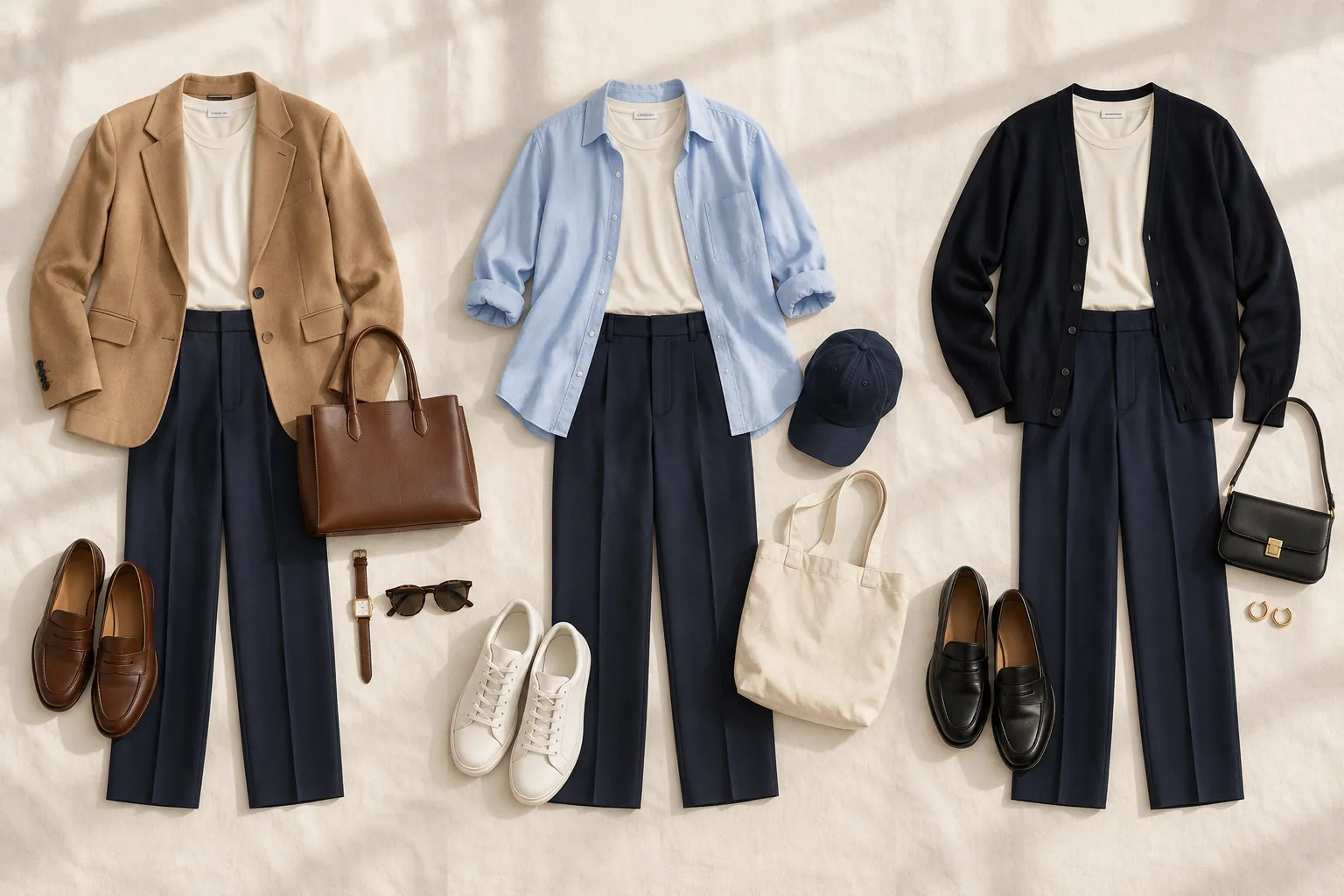
Here is a practical brief: “Keep my navy trousers and cream top. I own a camel blazer, a blue shirt, white sneakers and brown loafers. Suggest one office outfit and one weekend outfit. Explain the shoe and layer change. Do not add purchases.” If an app cannot accept a written brief, use the same pieces to build the two looks manually.
If you want a specific style direction, use the old money outfit examples to choose a complete starting look, then ask the app to adapt it to your existing pieces. A named outfit and real constraints are more useful than an aesthetic label alone.
Look for four things: it recognizes the garments, respects the occasion, explains a usable change and lets you keep the result. A visually impressive suggestion that invents unavailable clothes fails this particular task. That does not make the whole app bad; it means the workflow is wrong for your need.
For the wider category, see my AI stylist apps comparison. If advice is secondary to storing and arranging clothes, compare virtual closet apps instead.
How to switch from Dressly without starting blindly
- Check where you pay. Find the original receipt and identify whether the subscription is managed on the web, through Apple or through Google Play. Use Dressly’s subscription policy and the relevant billing controls; do not assume removing an app stops renewal.
- Keep information you value. Save your original garment photos and record favorite combinations, profile notes and anything you need from the current account. Do not assume another app can import a Dressly account or preserve editable outfit history.
- Move a representative capsule first. Choose roughly a week’s clothes, including footwear and an outer layer. Include one item you struggle to style so the trial solves a real problem.
- Check the whole daily loop. Add an item, find it again, plan an outfit and reopen the saved result. Review photo permissions and any public-profile settings before adding personal surroundings.
- Compare the actual cost. Write down renewal amount, billing period, any usage cap and the cancellation route. Do this for the precise offer shown to you, not a price copied from someone else’s review.
If the important comparison is against Acloset rather than Dressly, the Acloset alternatives guide focuses on item allowances, device access and the work involved in moving a catalog.
My recommendation: choose the missing step, not the longest feature list
Keep Dressly if it already makes getting dressed easier and the issue is minor. Switching is worthwhile when the replacement removes a recurring obstacle: unclear outfit advice, an unsuitable planning workflow, a platform restriction or a payment structure you do not want.
My first recommendation is Beauty AI when that missing step is practical feedback on clothes you own, with planning and photo search available in the same app. Start with one ordinary outfit and one specific question. If you mainly need an archive, social boards or a human stylist, the other options have clear reasons to exist.
Try Beauty AI with an outfit you already wear before spending an afternoon uploading your entire wardrobe.


