


Virtual try-on can narrow a shopping decision, but it cannot prove fit, comfort, fabric feel, or construction quality. The useful question is not which demo looks most futuristic. It is which tool supplies the right kind of preview for the purchase you are considering.
How I evaluated virtual try-on tools
Written and tested by David Voskanyan. I evaluated five scenarios: apparel from a full-length photo, makeup or hair experimentation, social AR discovery, a product-specific retailer preview, and the decision that follows a preview. I compared category coverage, how directly the tool connects to a product, the usefulness of its next step, and the limits it communicates.
The documented evidence includes Google's official May 20, 2025 Shopping update, official YouCam and Snap pages, and saved first-party screenshots. The repository does not contain the same garment rendered by every tool or a documented common test device. I therefore do not claim a controlled accuracy test. The Google, YouCam, Snap, and Amazon screenshots visible below confirm product surfaces or positioning; they do not by themselves verify rendering accuracy.
Scoring approach: I use scenario fit, evidence quality, purchase proximity, and practical limitations instead of a numeric score. A tool cannot earn an accuracy advantage without comparable output evidence.
Editorial disclosure: Beauty AI publishes this article and appears in it. Beauty AI is a styling and wardrobe companion in this workflow, not the engine that creates every try-on preview. No company paid for inclusion or placement.
What a virtual try-on can and cannot answer
| Question | Can a preview help? | What still needs verification? |
|---|---|---|
| Is this color or silhouette worth shortlisting? | Usually, as a directional comparison | Color may vary by camera, screen, and lighting |
| Does this exact size fit? | Not reliably from an image alone | Garment measurements, size guide, reviews, and a return policy |
| Will the fabric feel or drape this way? | No | Material composition, construction, and an in-person check |
| Does the item improve my wardrobe? | Only partly | Owned clothes, repeat-use potential, and occasion needs |
Best virtual try-on apps and tools by scenario
1. Beauty AI

Beauty AI belongs after the initial try-on rather than in place of it. Its preserved product evidence shows outfit analysis, wardrobe items, saved outfits, and visual search. Those tools can help interpret a preview: what the item works with, whether it duplicates something owned, and which alternative direction is more useful.
David's verdict: What worked: it adds outfit and wardrobe context after a visual preview. What failed: it is not a retailer-scale virtual try-on catalog and should not be presented as proof of garment fit. Best for: deciding what to do after a preview. Choose another tool when: start with Google Shopping or a retailer-native tool when you need the actual garment preview; use YouCam for makeup or hair.
2. Google Shopping Try On
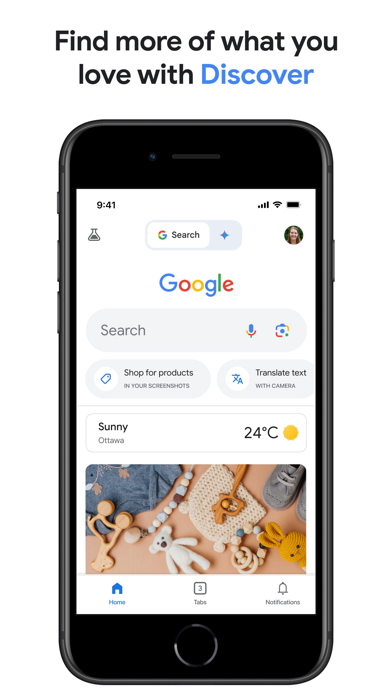
Google's official Shopping update says U.S. users could upload a full-length photo and preview shirts, pants, skirts, and dresses from product listings. That is the strongest apparel-specific documentation among the tools in this article because the input, supported garment categories, and shopping context are stated directly by Google.
The saved Google screenshot shows the broader Discover and product-search surface rather than a captured try-on result. It supports Google's shopping-discovery context, not a claim about output accuracy.
David's verdict: What worked: the documented workflow connects a personal photo to a broad product-discovery surface. What failed: the repository does not contain a controlled before-and-after result, and availability is region-dependent. Best for: broad apparel shortlisting. Choose another tool when: use a retailer-native experience for one exact product near checkout or Beauty AI when the remaining question is wardrobe fit rather than visual placement.
Read the official Google Shopping virtual try-on update.
3. YouCam Makeup
YouCam is a category-specific choice. Its official product page and saved first-party image position it around selfie editing, makeup, hair, and face-based experimentation. That is a more appropriate use of camera try-on than asking a beauty tool to judge complete garment fit.
David's verdict: What worked: the product has a clear beauty-focused job and a direct consumer download path. What failed: the saved evidence is a landing-page capture, not a shade-accuracy benchmark. Best for: comparing makeup or hair directions. Choose another tool when: use Google Shopping or a retailer tool for clothes; use Beauty AI when a beauty choice must be judged as part of a full outfit.
See the official YouCam Makeup page.
4. Snapchat AR shopping experiences
Snap's preserved evidence is for Lens Web Builder, a tool for creating AR Lens campaigns. It documents the platform and creation surface, not a universal consumer catalog or a specific fashion result. That makes Snapchat most relevant to branded, social, and campaign-led try-on rather than careful wardrobe planning.
David's verdict: What worked: AR discovery is designed to be immediate and shareable. What failed: the available screenshot is a creator tool, so it does not establish the quality or availability of any one consumer Lens. Best for: social-first experimentation and branded discovery. Choose another tool when: use Google Shopping or a retailer experience for deliberate product comparison; use a wardrobe tool when the decision needs lasting context.
5. Retailer-native try-on tools
A retailer-native tool can be the shortest path when you already know the product. It sits close to size information, reviews, availability, and checkout. Its weakness is scope: it usually helps with one catalog and does not know whether the item improves your wider wardrobe.
The saved Amazon asset is a general Shopping promotional image, not evidence of a current try-on output. It should be read only as marketplace context. The repository's existing Amazon StyleSnap link is a visual-discovery reference, not proof that every listed product supports virtual try-on.
David's verdict: What worked: the preview and purchase information can live in the same environment. What failed: support varies by category, product, region, and retailer, and the available evidence does not prove fit. Best for: checking one supported item near checkout. Choose another tool when: use Google for broader apparel discovery, YouCam for beauty, or Beauty AI for outfit and wardrobe judgment.
My practical virtual try-on workflow
- Start with one question. Decide whether you are testing color, silhouette, product placement, or the complete outfit.
- Use a clear, recent photo. A front-facing full-length image with visible body outline is a better input than a cropped or heavily filtered image.
- Compare at least two directions. One preview invites a vague reaction; alternatives create a useful choice.
- Inspect failure areas. Look closely at hands, hems, overlapping layers, hair, bags, and shadows.
- Return to product evidence. Check measurements, fabric, reviews, returns, and regional availability before buying.
- Judge wardrobe value separately. A plausible render can still represent a poor purchase.
Virtual dressing room apps: choose the right mode
“Virtual dressing room” can describe three different products, and comparing them as though they solve the same job creates weak recommendations. Decide which mode you need before judging the app.
| Mode | Best question | Evidence to require |
|---|---|---|
| Retailer or marketplace try-on | Is this exact listed item worth shortlisting? | Supported product, current region, size chart, materials, reviews, and returns |
| Photo-based garment preview | Does this color or silhouette direction make sense on my image? | Clear input requirements, visible rendering limits, and more than one comparison |
| Digital wardrobe or outfit planner | Will this item work with clothes I own and occasions I repeat? | Closet inventory, saved outfits, repeat-use context, and practical combinations |
Some apps span more than one mode, but no polished render replaces the missing evidence from another mode. A dressing-room preview may support visual shortlisting; it does not prove fit. A closet planner may prove that a jacket makes six outfits; it does not prove the jacket's fabric or construction.
Use virtual try-on before you buy: buy, skip, or substitute
The highest-value moment for virtual try-on is before checkout, when uncertainty can still become a better decision. Run the preview through three gates instead of asking only “does this look good?”
- Visual gate: compare color, silhouette, proportion, and styling direction on a recent, neutral photo.
- Product gate: verify measurements, fabric, construction clues, review patterns, delivery, and the return policy.
- Wardrobe gate: name at least three realistic outfits, one near-term occasion, and the item it might duplicate.
| Decision | Signals | Next action |
|---|---|---|
| Buy | The direction works, product evidence is acceptable, and the item has repeat-use value | Choose size from measurements and keep the return window visible |
| Skip | The preview exposes a proportion or color problem, or the item duplicates a weak-use piece | Save the lesson, not the product |
| Substitute | The idea is right but the exact item, color, neckline, length, or retailer evidence is wrong | Search for the corrected specification rather than abandoning the category |
How to evaluate a virtual dressing room app
A strong app should make its boundary obvious. Look for supported garment categories, input-photo guidance, privacy and deletion controls, a way to compare variants, and a path back to verifiable product facts. For wardrobe planning, also check whether you can add your own clothes, save complete outfits, organize occasions, and export or delete your data.
Be cautious when an app mixes affiliate products, generated outfits, and your own wardrobe without labeling the source of each item. Also avoid accuracy scores that do not publish a test method. The relevant standard is not visual drama; it is whether the tool reduces uncertainty without hiding what it cannot know.
Quick comparison
| Tool | Best-supported job | Evidence boundary |
|---|---|---|
| Beauty AI | Post-preview outfit and wardrobe decision | Not a substitute for a garment-specific try-on |
| Google Shopping Try On | Apparel discovery from a full-length photo | No common-output accuracy test in the repository |
| YouCam Makeup | Makeup and hair experimentation | Landing-page evidence, not shade validation |
| Snapchat AR | Social and branded AR discovery | Lens-builder evidence, not a universal result |
| Retailer-native tools | One supported product near checkout | Coverage and quality vary by retailer and item |
FAQ
What is the best virtual try-on app for clothes?
From the documented evidence in this article, Google Shopping is the clearest apparel-specific starting point because its official update describes full-length-photo try-on for shirts, pants, skirts, and dresses. Availability and supported products still need to be checked in your region.
Are virtual try-on apps accurate?
They can be useful for directional comparison, but this repository does not contain a controlled accuracy benchmark. Do not use a generated preview as proof of exact size, comfort, fabric, or construction.
When should I use Beauty AI?
Use Beauty AI after a preview when the remaining question is whether the item works with the rest of an outfit or wardrobe. It should complement, not replace, product measurements and return information.
Is a virtual dressing room app the same as virtual try-on?
Sometimes, but not always. A virtual try-on usually previews a product or garment direction on an image. A virtual dressing room can also mean a digital closet that combines owned clothes, plans outfits, and checks wardrobe value. Verify the app's actual mode before choosing it.
Can virtual try-on help before buying clothes?
Yes, when it is used as one input in a buy, skip, or substitute workflow. It can reduce visual uncertainty, but you still need product measurements, fabric information, reviews, and return terms.
Bottom line
Use Google Shopping for documented apparel discovery, YouCam for beauty, Snapchat AR for social experimentation, and a retailer-native tool when one supported product is already under consideration. Beauty AI earns a place in the workflow only after the preview, where styling and wardrobe context become more important than the render itself.
For adjacent workflows, compare AI clothes changer apps, use the dedicated virtual try-on with your own photo guide, and review the virtual try-on privacy checklist before uploading a personal image.


