

A virtual dressing room app should help you make a real outfit decision. The strongest apps in 2026 do more than place clothes on a screen. They help you compare looks, test wardrobe combinations, avoid weak purchases, and understand whether an outfit actually works for your day, body, closet, and budget.
The short verdict: use Beauty AI when the dressing room needs to become a styling decision. Use Fits when you want a dressing-room style closet workflow with outfit planning and try-on. Use Alta Daily or Acloset when you want wardrobe-based suggestions. Use Google Shopping, Google Photos, or Doppl when your priority is large-scale visual discovery or experimental try-on. Use Whering when closet organization and outfit remixing matter more than realistic try-on.
This guide is intentionally narrow. If your main search is broad app comparison, start with our best virtual try-on apps hub. This page focuses on the commercial query behind virtual dressing room apps for outfits: which app is worth installing when you want to preview, build, compare, and choose real outfits.
Quick Verdict: Which Virtual Dressing Room App Should You Choose?
| Best choice | Choose it when | What it does best | Main tradeoff |
|---|---|---|---|
| Beauty AI | You want to know if an outfit works before wearing or buying it | Outfit feedback, AI styling logic, wardrobe-aware decision support | Not a giant retailer inventory engine |
| Fits | You want a closet-first dressing room with outfit planning and try-on | Digital wardrobe, outfit calendar, collages, dressing-room workflow | More setup if you want full closet value |
| Alta Daily | You want an AI stylist connected to your digital closet | Wardrobe suggestions, outfit planning, weather and lifestyle context | Best after your closet data is organized |
| Acloset | You want schedule and weather-aware outfit suggestions | Closet cataloging, daily outfit suggestions, outfit calendar | Can feel more planner-focused than dressing-room-first |
| Google Shopping, Photos, and Doppl | You want broad visual discovery and experimental try-on | Huge product reach, photo-based wardrobe experiments, fast discovery | Not a complete long-term wardrobe operating system |
| Whering | You want to remix a closet visually and plan outfits socially | Wardrobe organization, outfit creation, closet insight, community styling | Less focused on realistic body try-on |
Virtual Dressing Room vs Virtual Try-On vs Digital Wardrobe
People use these phrases interchangeably, but they are not the same search intent. The distinction matters because it tells you what the app must solve.
| Term | Primary job | Best user intent | Owner page to read next |
|---|---|---|---|
| Virtual dressing room app | Build, preview, compare, and decide outfits | "Help me choose what to wear or buy" | This guide |
| Virtual try-on app | Preview how clothing, makeup, hair, or accessories might look | "Show me a visual preview before I decide" | Best virtual try-on apps |
| Digital wardrobe app | Inventory and organize clothes you own | "Help me see and use my closet better" | Digital wardrobe app |
| Outfit planner app | Plan looks ahead for dates, weather, travel, or events | "Help me avoid morning decisions" | AI outfit maker and planner |
| AI stylist app | Critique, refine, and improve outfits | "Tell me what works and what to change" | AI stylist app |
A true virtual dressing room sits between these categories. It should not only display clothes. It should help you move from possibility to decision.
Why This Matters if You Are Choosing a Paid App
A paid virtual dressing room app must earn repeat use. A one-time try-on preview can be entertaining, but subscription value comes from a workflow you use every week: checking outfits, planning looks, testing purchases, packing for travel, or avoiding duplicate clothes.
Before paying, judge the app by four commercial questions:
- Does it help me decide faster? If the app adds more options but no clarity, it will not reduce choice fatigue.
- Does it understand my wardrobe? A dressing room built only around shopping products can still push you toward overbuying.
- Does it support repeated scenarios? Daily outfits, events, travel, and shopping checks are more valuable than one novelty preview.
- Does it protect trust? Photo-based fashion tools should be clear about what they need from you and what value you get back.
This is where Beauty AI has a strong angle: the app is built around practical outfit decisions, not just a visual effect. The ideal user is not asking "can this app make a cool preview?" The user is asking "should I wear this, change this, save this, or buy this?"
How We Scored These Apps
We evaluated the category by workflow value instead of only marketing claims. A virtual dressing room app can look impressive and still be weak if it does not help a user choose.
| Criterion | What we looked for | Why it matters |
|---|---|---|
| Outfit decision quality | Can the app help you choose, improve, or reject a look? | This is the core value behind paid styling tools. |
| Own-wardrobe support | Can the app work with clothes you already own? | Wardrobe context prevents random shopping and weak recommendations. |
| Try-on or preview usefulness | Does the visual layer improve confidence? | Preview matters when color, proportion, or silhouette is uncertain. |
| Planning depth | Can it support days, events, travel, repeat outfits, or calendars? | Recurring use is what makes a subscription feel justified. |
| Setup friction | How much uploading, tagging, or training is needed? | High setup kills usage unless the long-term payoff is clear. |
| Paid-user fit | Does the premium workflow save time, money, or decisions? | Commercial searchers need a reason to choose one app over another. |
Comparison Table: Best Virtual Dressing Room Apps for Outfits
| App | Best for | Decision quality | Wardrobe depth | Paid-user fit |
|---|---|---|---|---|
| Beauty AI | Outfit feedback and buy-or-skip decisions | Very strong | Strong | Best when you want repeated styling clarity |
| Fits | Closet dressing room, collages, outfit calendar | Strong | Very strong | Best when you will digitize and maintain a closet |
| Alta Daily | AI closet suggestions and lifestyle styling | Strong | Strong | Best for users who want stylist-like daily recommendations |
| Acloset | Weather and schedule-based outfit suggestions | Good | Strong | Best for users who want a wardrobe calendar and suggestions |
| Google Shopping, Photos, Doppl | Visual discovery and experimental try-on | Good for discovery | Developing | Best for broad product exploration, not full closet control |
| Whering | Digital closet remixing and social outfit planning | Good | Very strong | Best for closet visibility and outfit reuse |
| TryDrobe | Polyvore-style outfit making with try-on direction | Good | Medium | Best if you want visual creativity plus try-on-style experimentation |
Best Virtual Dressing Room Apps: Detailed Reviews
1. Beauty AI

Best for: users who want a virtual dressing room to answer "does this outfit work?" instead of only "can I preview this?"
Why it works: Beauty AI is strongest when the dressing room needs a decision layer. You can use it to evaluate an outfit photo, compare styling directions, check whether a piece fits your wardrobe, or get a faster second opinion before buying. That makes it especially useful for people who already know they want AI style help but do not want to rebuild their entire closet before getting value.
Most dressing-room tools stop at the visual moment. Beauty AI is more useful after that moment because it helps you interpret the preview. If a blazer looks interesting, the next question is not only whether it renders well. The next question is whether it improves your wardrobe, pairs with what you own, fits the occasion, and deserves a purchase.
Main limitation: it is not trying to be the largest shopping inventory on the internet. If you want to browse billions of products from one search box, Google-style shopping tools are a better first step.
Paid-user fit: very strong if you frequently ask "what should I wear?", "does this look good?", "should I buy this?", or "how do I style this piece?" Start with the Beauty AI outfit maker app, then connect the workflow to the AI stylist app and digital wardrobe app.
2. Fits
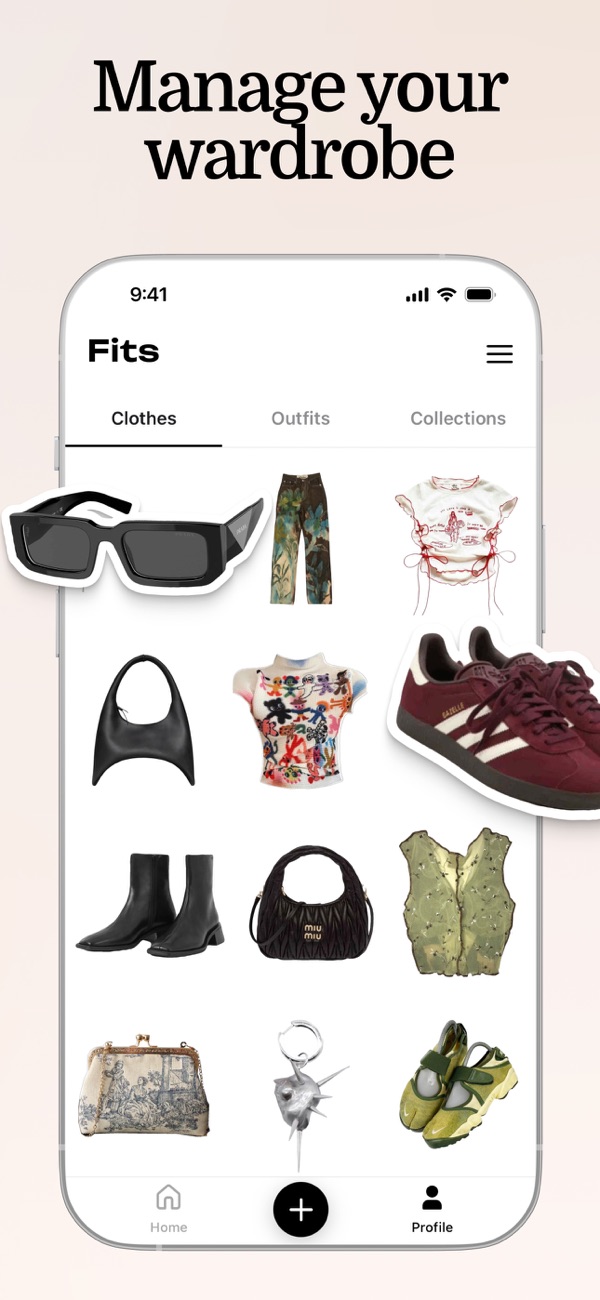
Best for: users who want a closet-first virtual dressing room with outfit planning, collages, and a wardrobe calendar.
Why it works: Fits explicitly leans into the outfit planner and closet workflow. The App Store listing positions it around an AI stylist, outfit maker, wardrobe digitization, mood boards, and virtual try-on. Fits also describes its dressing-room experience as a way to swipe clothes on a virtual body and build outfits from your closet. That is directly aligned with the virtual dressing room query.
Fits is a strong app to compare because it combines several jobs: upload clothes, organize the closet, make outfits, plan outfits, and experiment visually. If you are willing to put time into closet setup, that can become valuable.
Main limitation: the value depends on setup depth. If you only want a fast outfit critique or buy-or-skip decision, a lower-friction AI styling flow may feel faster.
Paid-user fit: strong for users who want a maintained wardrobe system and outfit calendar. Read the official Fits dressing room workflow and compare the broader category in best virtual try-on apps.
3. Alta Daily
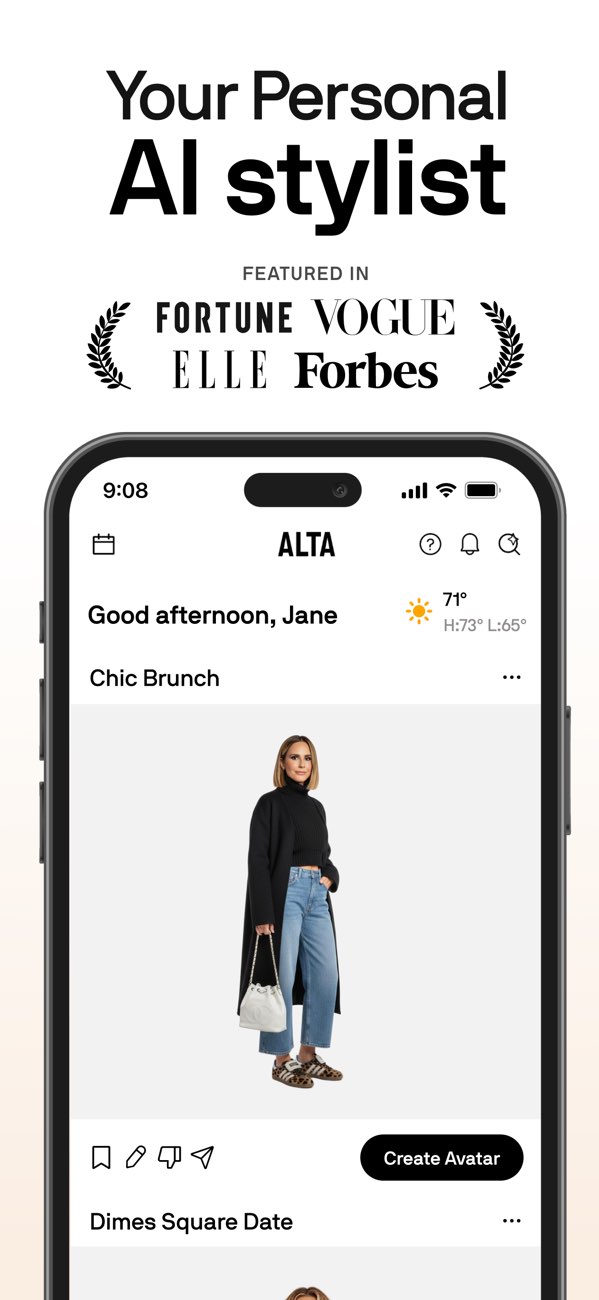
Best for: users who want a premium AI closet assistant that suggests outfits from wardrobe context.
Why it works: Alta Daily describes itself around an AI stylist, digital closet, virtual dressing room, outfit recommendations, weather context, trips, and wishlists. That makes it relevant for users who want a polished assistant rather than a pure collage board. It is especially interesting if your virtual dressing room question is really about daily recommendations.
Alta's value increases when your closet data is useful. The app can be strongest for users who want repeated decisions: what to wear today, how to pack, which wishlist item fits the wardrobe, and how to plan for lifestyle context.
Main limitation: the user has to trust the closet and recommendation layer. If your wardrobe data is incomplete, the suggestions may not reflect your real options.
Paid-user fit: strong for users who want a digital stylist tied to closet planning. See Alta Daily and compare with Beauty AI if you want faster outfit feedback before building a full closet system.
4. Acloset
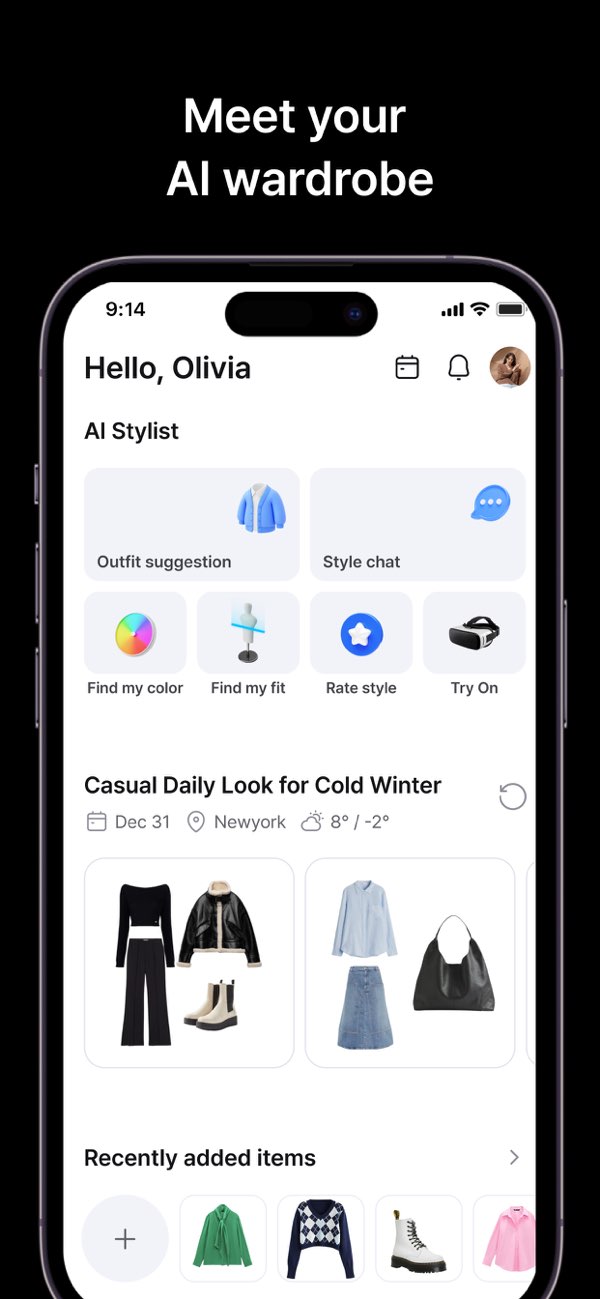
Best for: users who want a digital closet that suggests outfits for weather, schedule, and daily planning.
Why it works: Acloset positions itself around AI outfit suggestions from clothes you own, schedule and weather context, outfit calendar features, and wardrobe organization. That makes it a practical dressing-room adjacent tool even when it is not only about realistic try-on. The strongest use case is daily outfit planning from a saved closet.
Acloset is valuable when your dressing room problem is consistency: you want more outfits from your existing clothes, you want to remember what you wore, and you want suggestions that respond to everyday conditions.
Main limitation: users looking for a quick visual body try-on may find the wardrobe and planner layer more central than the dressing-room visual effect.
Paid-user fit: good for closet organization, weather-aware suggestions, and users who want to plan ahead. See Acloset, then compare practical alternatives in our best outfit planner apps guide.
5. Google Shopping, Google Photos, and Doppl

Best for: users who want broad visual discovery, product try-on experiments, and Google-scale inventory signals.
Why it works: Google is pushing this category from several directions. Google Shopping has described photo-based virtual try-on for apparel discovery. Google Photos has described a wardrobe-style feature that can identify clothing in photos, help create outfits, and virtually try on combinations. Google Labs has also introduced Doppl as an experimental way to see outfits on a digital version of yourself.
This matters because Google has the distribution and product graph to make try-on less niche. If you want discovery at scale, Google belongs in the shortlist. It can be especially useful when you are comparing many shopping options or turning saved images into outfit ideas.
Main limitation: Google is not the same as a dedicated wardrobe decision coach. It can help you find, preview, and experiment, but it may not replace a personal styling workflow built around your preferences and real closet habits.
Paid-user fit: strong as a discovery layer, especially before or alongside a dedicated outfit app. Read Google's official updates on Shopping virtual try-on, Google Photos wardrobe features, and Doppl.
6. Whering
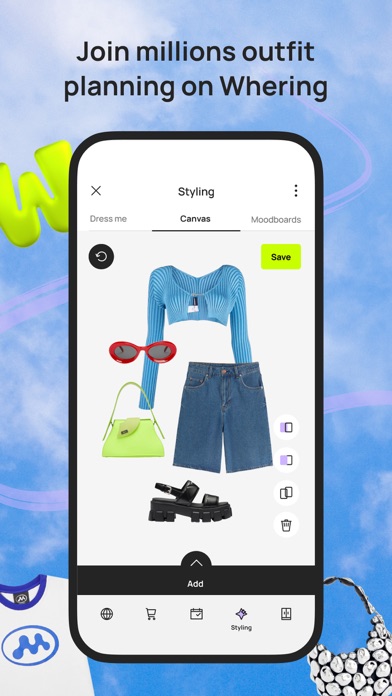
Best for: users who want a social, closet-first wardrobe app with outfit creation and visual remixing.
Why it works: Whering is relevant because many people who search for virtual dressing room apps actually want a better way to see their clothes together. Whering focuses on managing, styling, and remixing a wardrobe, with social and closet-insight layers that make outfit planning feel active rather than static.
It is strongest when you already care about wardrobe visibility. If you keep forgetting what you own or repeating the same three looks, a closet-first app can produce more value than a one-off try-on preview.
Main limitation: it is less centered on realistic body try-on than some AI shopping or try-on experiences.
Paid-user fit: strong for people who want better closet usage, outfit reuse, and social styling. See Whering and compare direct app tradeoffs in Beauty AI vs Whering.
7. TryDrobe
Best for: users who miss Polyvore-style visual outfit making but want a more modern try-on direction.
Why it works: TryDrobe is useful to study because it frames the category around what Polyvore might look like now: outfit creation, visual boards, and try-on-style experimentation. That makes it relevant for users who want creativity plus a dressing-room feel rather than a pure closet database.
Main limitation: the real value depends on whether you want visual exploration or a complete wardrobe operating system. If your main problem is repeated daily decisions, a dedicated AI stylist or outfit planner may be stronger.
Paid-user fit: best for visual outfit experimentation. If your search is tied to old Polyvore habits, also read our Polyvore outfit maker alternative guide and the broader best Polyvore alternatives hub.
Best App by Real-Life Scenario
| Scenario | Best app type | Why | Beauty AI angle |
|---|---|---|---|
| You are deciding what to wear tomorrow | AI stylist plus outfit planner | You need a fast answer, not endless browsing | Use outfit feedback to refine the look before wearing it |
| You are considering a jacket purchase | Try-on plus wardrobe logic | You need to know whether the item creates real outfits | Ask whether the jacket fills a wardrobe gap or duplicates what you own |
| You are packing for travel | Digital wardrobe plus outfit planner | You need repeatable combinations and fewer dead items | Check capsule combinations and remove weak outfits |
| You are building a work capsule | Closet app plus AI feedback | You need consistency, not random inspiration | Use AI critique to tighten color, proportion, and dress code |
| You are recreating a saved look | Visual search plus dressing room | You need similar pieces and realistic styling | Turn the inspiration into a wearable version from your closet |
Beauty AI Workflow: From Dressing Room Preview to Final Decision
Here is the strongest workflow if your goal is not just to preview clothes but to decide better.
- Start with the real question. Are you choosing an outfit, testing a purchase, packing, or trying to reuse a neglected item?
- Upload or compare the look. Use the outfit photo, clothing item, screenshot, or wardrobe piece you are evaluating.
- Ask for the decision layer. The useful prompt is not "make this prettier." It is "does this work for a casual dinner?", "what should I change?", or "is this jacket worth buying for my current wardrobe?"
- Check color, proportion, and occasion fit. A dressing-room preview can look polished while still being wrong for the dress code or silhouette.
- Save the better version. Keep the outfit only if it solves a repeatable use case: work, date night, travel, weekend, event, or shopping gap.
This sequence turns a virtual dressing room from a novelty feature into a wardrobe decision system.
What a Strong Virtual Dressing Room App Must Include
- Fast outfit creation: you should be able to build a look without fighting the interface.
- Owned-clothes support: the app should not force every outfit to start as a shopping session.
- Useful previews: visual try-on should answer color, silhouette, or styling questions.
- Feedback or scoring: the app should tell you what to adjust, not only show a picture.
- Planning memory: saved outfits, calendars, tags, and repeat control matter for real use.
- Shopping discipline: the app should help you avoid weak purchases, not only encourage more browsing.
- Privacy clarity: photo-based apps should explain what data is needed and why.
When a Virtual Dressing Room App Is Not Enough
A virtual dressing room app can improve visual confidence, but it cannot fully replace real garment quality. It cannot prove fabric feel, comfort, construction, tailoring, or long-term wear. It also cannot know your mood, commute, confidence level, or workplace norms unless you give it context.
That is why the best workflow combines three layers:
- Preview: see the item or outfit direction.
- Styling judgment: check whether the look works for you.
- Wardrobe economics: decide whether the item earns repeated use.
Beauty AI is strongest in the middle layer. It helps connect a visual dressing room moment to an actual styling decision.
FAQ
What is the best virtual dressing room app for outfits?
The best virtual dressing room app depends on the task. Beauty AI is the best fit when you want outfit feedback and a practical styling decision. Fits is strong for a closet-first dressing room and outfit calendar. Google is strong for broad shopping discovery and experimental try-on.
Is a virtual dressing room app the same as a virtual try-on app?
Not exactly. A virtual try-on app focuses on previewing how something might look. A virtual dressing room app should also help you build, compare, plan, and choose outfits. The overlap is real, but the decision job is broader.
Which virtual dressing room app works with my own clothes?
Beauty AI, Fits, Alta Daily, Acloset, and Whering are all relevant if you want to work from your own wardrobe. The best choice depends on whether you value fast AI feedback, a full digital closet, outfit calendars, or social outfit remixing.
Is it worth paying for a virtual dressing room app?
It is worth paying only if the app becomes part of repeated decisions: daily outfits, shopping checks, travel packing, event looks, or closet reuse. If you only need one visual preview, the long-term subscription value is weaker.
What is better than Fits for outfit feedback?
Fits is strong for closet planning and dressing-room style outfit creation. Beauty AI is stronger if the priority is faster outfit feedback, AI critique, and deciding whether a look should be worn, changed, saved, or skipped.
Can virtual dressing room apps reduce shopping mistakes?
Yes, if you use them as decision tools. The strongest approach is to preview the item, compare it with your current wardrobe, ask how you would wear it in at least three outfits, and skip it if it only works as a novelty.
Bottom Line
The best virtual dressing room app is not the one with the most dramatic demo. It is the one that makes outfit decisions easier. Beauty AI is the strongest option when you want styling judgment, wardrobe logic, and practical buy-or-skip guidance. Fits, Alta Daily, Acloset, Google, Whering, and TryDrobe are worth comparing when your priority is deeper closet setup, discovery, visual experimentation, or social planning.
If you want the broader category view, read the best virtual try-on apps hub. If you want the fastest practical workflow, start with Beauty AI's outfit maker app and use the dressing room as a decision system, not just a preview screen.


