
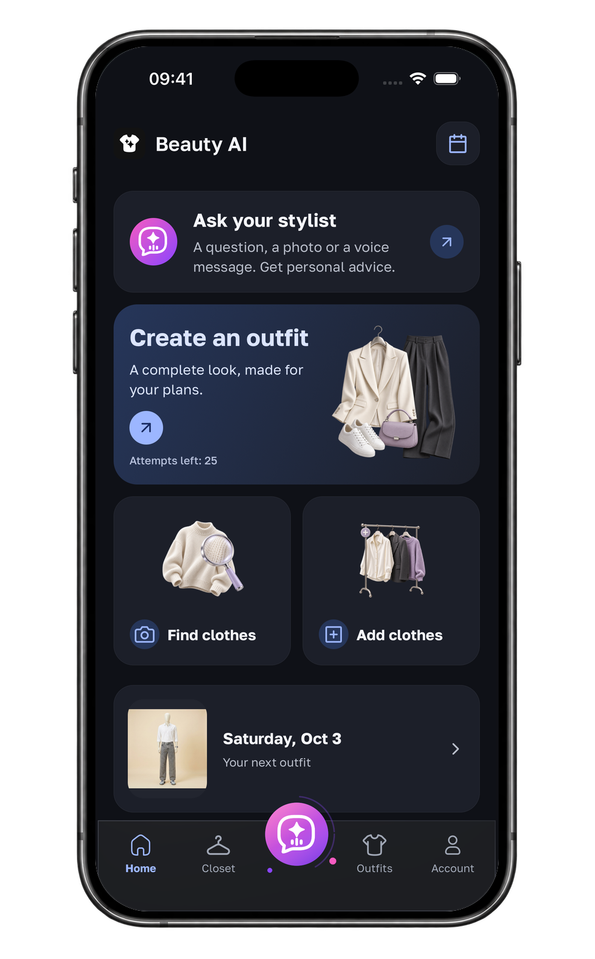


Wedding guest screenshot
Find a close option, then check the venue, dress code, season, color guidance, and delivery date.


Upload a dress image, review exact or similar products, and compare the details that matter for the event before you buy or save one.

Use Beauty AI’s photo search with the clearest view of the dress. Keep the neckline, waist and hem visible; crop away other people and unrelated garments. For a video, save a second frame showing hidden details. A close visual match is a candidate, not confirmation of the original designer or product.
For a sold-out satin midi dress, compare length, straps, seams and fabric composition, not just color. Check lining, size measurements, delivery date and returns on the seller’s page. If no exact match appears, decide which two features matter most before widening the search. Try-on previews do not establish physical fit.
Upload a photo and get dress matches plus outfit ideas.
Beauty AI features run in the iPhone and Android app. This website explains the workflow; install the app to upload a photo, search, rate, or plan an outfit.
Dress searches need product details and occasion context after the image match.
Find a close option, then check the venue, dress code, season, color guidance, and delivery date.
Compare silhouette, length, neckline, fabric, and formality before shortlisting alternatives.
Use the dress image first, then consider shoes, outerwear, accessories, and the actual venue.
Search two or three clear frames when motion, captions, or poses hide important dress details.
Preserve the defining details of the original while looking for a current listing or a realistic substitute.
Match the silhouette and occasion first, then compare fabric, construction, returns, and total price.
AI-generated illustrations of the scenarios, not app screenshots.

Search a sharp full-length frame, preserve neckline and hem details, then confirm dress code and delivery timing.

Prioritize cut, strap shape, length, and fabric finish, then verify lining, returns, and current stock.

Inspect the retailer’s close-up photos for fabric, seams and lining. A similar silhouette does not guarantee the same construction.
Use the right path based on what the image shows.
| Feature | Best for | Use when |
|---|---|---|
| Exact dress search | Finding the same dress | You have a clear product or creator image and want the closest match. |
| Similar dress search | Finding alternatives | The original is sold out, too expensive, or not available in your size. |
| General photo search | Non-dress clothing items | The item is a jacket, top, shoes, bag, or pants. |
| Full outfit finder | Building the whole look | You already have the dress and need the complete outfit. |
Decide which details are non-negotiable before browsing: sleeves, neckline, hem length or fabric. A dress with the same color can have a different lining, fastening or cut. Search a second angle if those details are hidden, then check the retailer’s measurements and return window. For a fixed event date, delivery and possible alterations matter more than the closest-looking thumbnail.
Isolate the dress, describe its defining attributes, and verify the commercial details at the retailer.
1
Use the clearest product photo or video frame and crop around the full dress without cutting off the hem or sleeves.
2
Check silhouette, neckline, sleeves, waist, length, fabric, print, color, and visible construction details.
3
Confirm the seller, product name, available sizes, garment measurements, price, delivery date, returns, and authenticity.
4
Keep the option that works for the dress code, weather, shoes, outerwear, accessories, and your wardrobe.
Yes. Use a sharp full-length frame and crop out unrelated items. If a video hides the back, sleeves, or hem, search more than one frame.
Keep the attributes that create the look—silhouette, neckline, sleeves, waist, length, fabric, print, and color—then compare current alternatives by size, price, delivery, and returns.
Dress search uses the same photo-search approach, with extra attention to neckline, silhouette, length and the event. General clothing search also covers tops, jackets, trousers, shoes and bags.
Upload a photo and get dress matches plus outfit ideas.