


A wardrobe app with cost-per-wear tracking helps you see whether your clothes are earning their place. The best app is not simply the one with the prettiest closet grid. It is the one that makes price, wear count, outfit history, and wardrobe usefulness easy enough to track after the first week.
If you want detailed analytics, start with Indyx. If you want wardrobe value and cost-per-wear logic tied to wearing more of what you own, compare OpenWardrobe. If you want CPW inside a visual closet and social wardrobe system, compare Whering. If you want manual iPhone-first planning, Stylebook is still relevant. If you want the math to change your actual style decisions, Beauty AI is the strongest next layer.
For the direct Beauty AI workflow, use the cost per wear calculator, the digital wardrobe app, and the AI stylist app. For reusable data, compare this article with the wardrobe app benchmark.
What cost per wear actually tracks
Cost per wear is simple:
Cost per wear = item price / number of wears
A $300 coat worn 100 times costs $3 per wear. A $45 top worn twice costs $22.50 per wear. The cheaper item can become more expensive in real wardrobe terms if it never gets used.
A serious cost-per-wear wardrobe app should track more than the formula. It should help you connect the number to real behavior:
- purchase price;
- wear count;
- outfit calendar history;
- item category and season;
- which pieces create the most outfits;
- which purchases became dead weight.
How we ranked wardrobe apps with cost-per-wear tracking
This ranking is based on the practical CPW workflow, not only whether an app mentions the phrase. A useful wardrobe tracker needs to make the loop easy:
- Add the item with a price or estimated price.
- Log outfits or wears without too much friction.
- Review wear count and cost per wear by item or category.
- Use that pattern before buying again.
Apps lose value when tracking becomes a second job. The best app is the one that stays accurate enough to guide decisions.
Best wardrobe apps with cost-per-wear tracking
| Rank | App | Best for | Cost-per-wear strength | Main trade-off |
|---|---|---|---|---|
| 1 | Indyx | Closet analytics | Sort by wears and cost per wear, with dashboards and outfit calendars. | More data-focused than quick outfit feedback. |
| 2 | OpenWardrobe | Wardrobe value and conscious shopping | Connects cost per wear to item value and wearing more of what you own. | Best for users who want a deeper wardrobe system. |
| 3 | Whering | Visual closet with CPW context | Good if you want cost-per-wear signals inside a social styling app. | CPW value depends on consistent wear logging. |
| 4 | Stylebook | Manual iPhone wardrobe stats | Strong for users who like manual planning, stats, calendars, and packing. | Not Android-first or AI-led. |
| 5 | Beauty AI | Turning CPW insight into style decisions | Helps decide whether an item creates real outfits and deserves repeat use. | Not a spreadsheet-style CPW tracker alone. |
| 6 | Acloset | AI closet setup and usage awareness | Useful when fast digitization is the first barrier to tracking anything. | Less CPW-specialized than Indyx or OpenWardrobe. |
1. Indyx
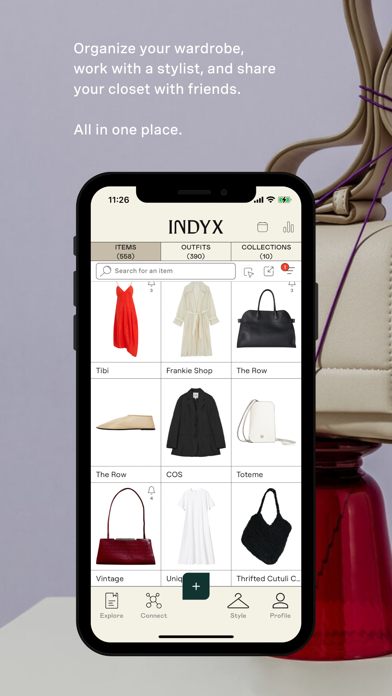
Best for: users who want wardrobe analytics, cost-per-wear sorting, outfit calendars, and data-backed buying decisions.
Indyx is the strongest first choice if cost-per-wear tracking is your main goal. Its current App Store listing emphasizes closet analytics, sorting by number of wears and cost per wear, wardrobe dashboards, outfit calendars, OOTD tracking, collections, packing lists, and AI tagging. That combination makes it one of the clearest CPW-focused wardrobe apps.
Indyx connects cost per wear to your wardrobe habits. You are not only entering an item price. You are planning outfits, scheduling looks, logging wear, and reviewing patterns. That is what turns cost per wear from a one-time calculation into a wardrobe habit.
Where Indyx is strongest:
- sorting items by most worn, least worn, and cost per wear;
- seeing wardrobe dashboards and usage patterns;
- tracking outfits on a calendar;
- building capsules, collections, and travel packing lists;
- using data before the next purchase.
Choose Indyx if: you want the most analytics-forward cost-per-wear wardrobe app.
2. OpenWardrobe
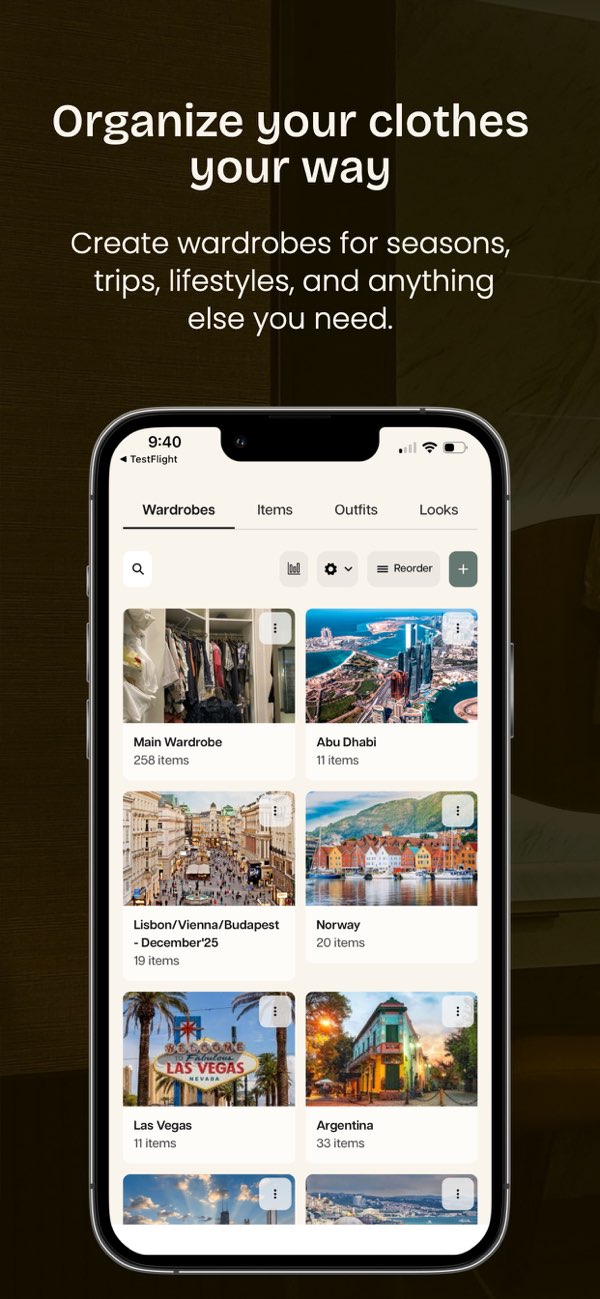
Best for: wardrobe value, wearing more of what you own, and choosing new clothes more carefully.
OpenWardrobe is a strong CPW option because the product is framed around making the wardrobe more useful, not only more organized. Its FAQ defines cost per wear as purchase price divided by number of wears, which is the core metric users are searching for. But the more important fit is strategic: OpenWardrobe is useful when cost per wear is part of a broader effort to buy less randomly and use more of the closet.
If you are doing a closet reset, a low-buy year, or a wardrobe audit, OpenWardrobe belongs high on the shortlist. It helps users think about what they own, what they wear, and how future purchases should behave.
Where OpenWardrobe is strongest:
- cost-per-wear thinking;
- wardrobe usage and value reflection;
- organizing the closet around actual use;
- reducing random shopping;
- connecting style discovery to wardrobe ownership.
Choose OpenWardrobe if: your CPW goal is smarter wardrobe behavior, not only a dashboard.
3. Whering

Best for: users who want cost-per-wear context inside a visual, social digital closet.
Whering is often thought of as a visual wardrobe app first, but its official marketplace listings also mention cost-per-wear tracking, wear rate, intake tracking, color palette, closet longevity, and style insights. That makes it relevant for users who want CPW to live inside a broader closet and outfit planning workflow.
Whering is strongest when you like the idea of logging outfits visually and using the wardrobe socially or inspirationally. It may be less ideal if your main goal is a strict analytics dashboard, but it is a good option if you want cost-per-wear tracking to feel part of a daily styling habit.
Where Whering is strongest:
- visual wardrobe tracking;
- outfit creation and moodboards;
- wardrobe insights and wear rate;
- social closet inspiration;
- Android and iPhone relevance.
Choose Whering if: you want cost-per-wear context without leaving a visual closet app.
4. Stylebook
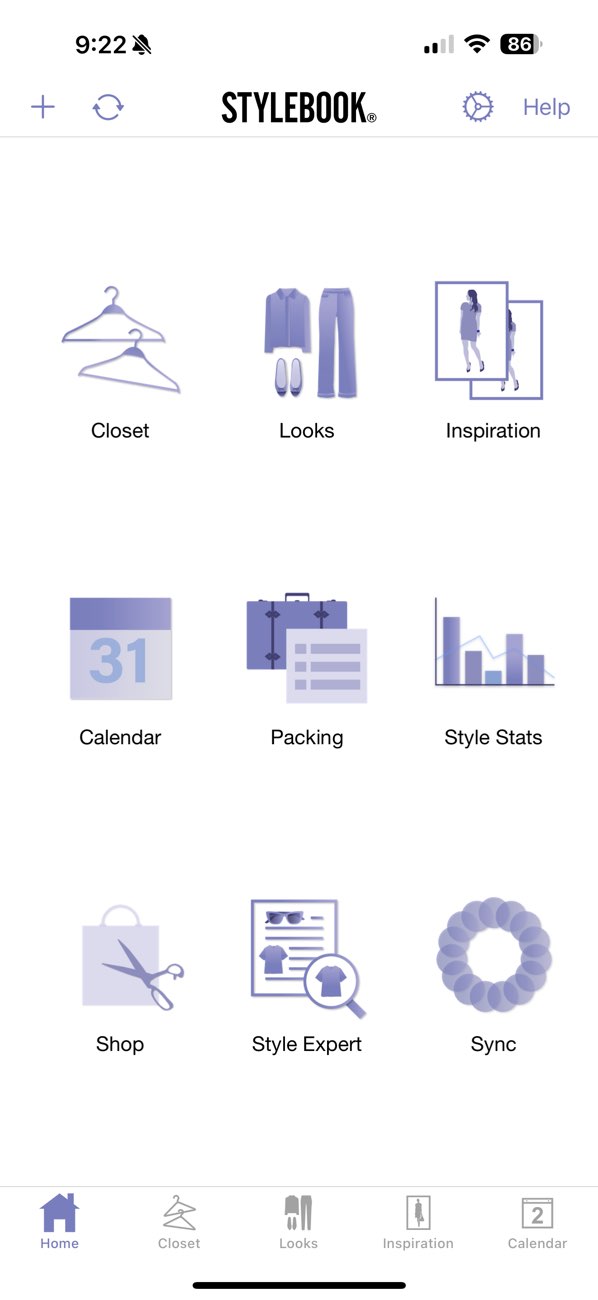
Best for: manual iPhone and iPad users who want wardrobe stats, calendars, packing lists, and cost-per-wear context.
Stylebook remains one of the strongest classic wardrobe apps because it is built for users who like manual control. Its App Store listing mentions wardrobe stats including cost per wear, outfit calendars, packing lists, outfit collages, and a large feature set for organizing real clothes.
The strength is control. The weakness is also control. Stylebook can work extremely well if you enjoy maintaining your wardrobe archive. It is less attractive if you want AI to handle more of the analysis and styling judgment.
Where Stylebook is strongest:
- manual closet organization;
- outfit calendars and packing lists;
- style stats and wardrobe review;
- iPhone-first users who prefer a detailed personal system;
- people who already enjoy tracking.
Choose Stylebook if: you want classic wardrobe management with CPW stats and do not need an AI-first workflow.
5. Beauty AI

Best for: turning cost-per-wear insight into outfit feedback, wardrobe decisions, and better purchases.
Beauty AI is not best understood as a pure CPW spreadsheet. Its value is what happens after the number. Cost per wear can tell you that a jacket is underused. It cannot always tell you why. Maybe the color is hard to style, the shape is wrong for your routine, or the piece only works with one shoe. That is an outfit problem, not just a math problem.
Beauty AI fits the decision layer: how to make an underused piece wearable, whether a new purchase fills a real gap, whether an outfit deserves repeating, and whether the wardrobe needs a styling fix instead of another item.
Where Beauty AI is strongest:
- testing whether a purchase works with your real wardrobe;
- getting feedback on underused pieces;
- turning wardrobe gaps into better outfits;
- connecting photo inspiration to what you own;
- reducing emotional shopping through outfit judgment.
Choose Beauty AI if: you already understand CPW but need help making the wardrobe perform better.
6. Acloset
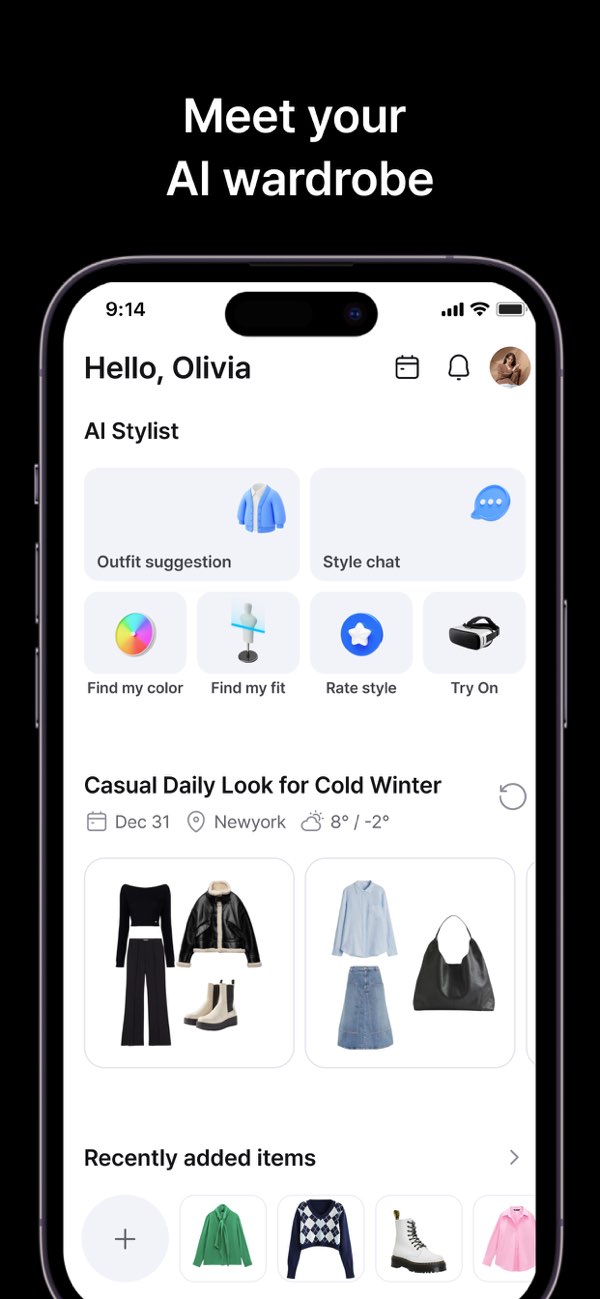
Best for: users who need fast closet digitization before any tracking system can work.
Acloset is relevant because cost-per-wear tracking depends on having a usable digital closet. If the app makes wardrobe setup too slow, the tracking layer never becomes accurate. Acloset's official positioning emphasizes AI closet organization, outfit recommendations, style tracking, and broad user adoption, which makes it useful for users who want to get started quickly.
It is not the most CPW-specialized app in this list, but it can be part of a good cost-per-wear workflow if your main barrier is digitizing the closet in the first place.
Where Acloset is strongest:
- AI-assisted item setup;
- daily outfit suggestions;
- style tracking;
- reducing closet setup friction;
- helping users who would otherwise never finish cataloging.
Choose Acloset if: the first problem is getting enough wardrobe data into the app.
What features matter most in a CPW wardrobe app?
Do not choose by the phrase "cost per wear" alone. Choose by the full tracking loop:
| Feature | Why it matters | Weak version | Strong version |
|---|---|---|---|
| Wear logging | CPW is useless without accurate wear count. | Manual note-taking only. | Calendar, outfit logging, or quick wear updates. |
| Purchase price | The app needs a cost baseline. | No item cost field. | Price, currency, sale context, or estimated value. |
| Outfit calendar | Outfits reveal usage better than isolated items. | Closet grid only. | Scheduled outfits and OOTD history. |
| Sorting and filters | You need to find high-cost, low-use items quickly. | Only visual browsing. | Sort by wears, CPW, age, category, or season. |
| Decision support | The number should change behavior. | Static stats. | Suggestions, outfit feedback, underused-item prompts, or shopping restraint. |
When cost per wear is actually useful
Cost per wear is most useful before the next purchase. It helps you predict whether an item will become a wardrobe anchor or a fantasy buy. Use CPW for:
- investment pieces: coats, bags, shoes, knitwear, suits, and denim;
- duplicate decisions: deciding whether another black blazer or white tee adds real value;
- trend checks: estimating whether the trend will earn enough wears before it fades;
- closet audits: finding high-cost pieces that are not being used;
- budget planning: moving money toward categories that actually get worn.
When cost per wear can mislead you
Cost per wear is useful, but it is not a moral law. Some pieces are worth owning even if they do not reach a low CPW: sentimental items, special-event clothing, heirloom jewelry, or genuinely artistic fashion. The risk is pretending those pieces are practical basics when they are not.
The healthy version is honesty. A joy purchase can be a joy purchase. A wardrobe investment should prove that it creates repeated use.
Beauty AI workflow: from CPW number to better outfit decisions
A good cost-per-wear app tells you which items are underused. Beauty AI helps with the next question: what should you do about it?
- Find the expensive underused item: use CPW or wear count to spot the problem.
- Ask why it is underused: color, silhouette, comfort, occasion, or missing support pieces.
- Test outfit combinations: use AI outfit maker and AI stylist feedback.
- Decide the action: repeat, restyle, tailor, sell, donate, or stop buying that category.
- Use the lesson before shopping: check whether the next item solves a real wardrobe gap.
Pre-purchase checklist for cost per wear
- Can I make three outfits with it right now? If not, the CPW forecast is probably fantasy.
- Does it solve a real gap? A duplicate needs a stronger reason than "I liked it."
- Will I wear it in my actual weekly life? Not only on a moodboard version of myself.
- Does it unlock more combinations? High-value items make existing clothes easier to use.
- Can I track it easily? If logging feels annoying, the CPW data will decay.
FAQ
What is the best wardrobe app for cost-per-wear tracking?
Indyx is the strongest first choice for detailed wardrobe analytics and cost-per-wear sorting. OpenWardrobe is strong for wardrobe value and conscious shopping. Stylebook works well for manual iPhone users. Beauty AI is strongest when you want cost-per-wear insight to become better outfit and buying decisions.
Is Whering good for cost per wear?
Whering is relevant because its marketplace listings mention cost-per-wear tracking, wear rate, and wardrobe insights. It is a stronger fit if you want CPW inside a visual closet and styling app rather than a pure analytics tool.
How often should I update wear counts?
Update wear counts when you log an outfit or at least weekly. Monthly catch-up is possible, but it becomes less accurate because you start relying on memory.
Is cost per wear better than a budget?
They solve different problems. A budget controls spending before checkout. Cost per wear shows whether the purchase created value after checkout.
Bottom line
The best wardrobe app with cost-per-wear tracking is the one that turns the number into better behavior. Indyx is strongest for analytics, OpenWardrobe for wardrobe value, Whering for visual closet tracking, Stylebook for manual iPhone stats, and Beauty AI for turning cost-per-wear insight into better outfits and smarter purchases.
Start with the cost per wear calculator, then connect the result to the digital wardrobe app, AI stylist app, and wardrobe app benchmark.


