

An outfit collage maker is useful only if it helps you build a look you can actually wear. A pretty board with a jacket, shoes, perfume bottle, and coffee cup may perform well on Pinterest, but it does not solve the real styling problem unless the pieces work together for your wardrobe, body, occasion, climate, and budget.
The short answer: the best outfit collage workflow in 2026 combines two tools. Use an AI styling or wardrobe app like Beauty AI to decide what the outfit should be, then use a visual collage tool only if you need a polished board for Pinterest, content planning, shopping, or a style moodboard. If you start with the canvas first, you often make a beautiful layout that is weak as an outfit.
This guide explains how to make outfit collages from your own clothes, screenshots, shopping finds, and inspiration images. It also shows when to use an outfit collage maker app, when to use an AI outfit tool, and how to avoid creating boards that look good but fail in real life.
If your main goal is creating outfits from your own wardrobe, start with our outfit maker app with your own clothes guide. If your goal is replacing old Polyvore-style boards, read our Polyvore alternatives guide. If your saved images are stuck on Pinterest, read From Pinterest to Reality.
What Is an Outfit Collage Maker?
An outfit collage maker is a tool that lets you place clothing items, shoes, bags, accessories, colors, and inspiration images into one visual board. Some collage makers are general design tools. Some are wardrobe apps with drag-and-drop outfit boards. Some are fashion-specific apps that let you remove backgrounds, save clothing items, create layouts, and publish the final board.
There are three common types:
- Canvas-first collage makers: tools like Canva-style editors or visual outfit apps where layout is the main feature.
- Wardrobe-first outfit collage apps: digital closet tools where the collage is built from clothing items you own.
- AI-assisted outfit workflows: tools like Beauty AI that help decide the outfit logic before or during the visual board process.
The difference is important. A canvas can make a board look polished. It cannot automatically tell you whether the outfit is balanced, wearable, weather-appropriate, flattering, or useful for your actual closet. That is why an AI styling layer is valuable before you finalize the board.
Best Outfit Collage Maker Workflow
The highest-quality outfit collage starts with intent, not aesthetics. Before choosing images, answer one question: what job should this board do?
| Collage goal | Best starting point | What to include | Common mistake |
|---|---|---|---|
| Plan tomorrow's outfit | Your own wardrobe | Top, bottom, shoes, outerwear, bag, weather note | Using inspiration pieces you do not own |
| Create a Pinterest outfit board | Clear aesthetic direction | Hero item, palette, accessories, texture, one lifestyle cue | Adding too many decorative objects |
| Build a shopping wishlist | Wardrobe gap | Existing pieces plus the item you are considering | Judging the new item in isolation |
| Recreate a screenshot look | Inspiration photo | Similar silhouettes, color match, owned alternatives | Trying to copy every item exactly |
| Plan travel outfits | Trip itinerary | Repeatable pieces, shoes, layers, day/night variants | Making separate outfits that cannot share items |
The 7-Part Outfit Collage Formula
A strong collage needs structure. Use this formula before opening any outfit collage maker online tool:
- Hero piece: the item the outfit is built around, such as a blazer, dress, statement skirt, denim jacket, or boots.
- Anchor basic: the neutral or simple piece that makes the outfit wearable.
- Proportion piece: the item that controls shape, such as high-rise trousers, a cropped jacket, a belt, or a long coat.
- Shoes: the fastest reality check because shoes decide whether the outfit works for the day.
- Bag or practical layer: the piece that connects the outfit to real life.
- Color cue: one palette decision, not six unrelated colors.
- Occasion label: work, dinner, travel day, weekend errands, date night, event, or content shoot.
If your collage does not have an occasion, it is probably inspiration, not planning. Inspiration is fine, but planning boards need context.
Step-by-Step: Make an Outfit Collage From Your Own Clothes
Step 1: Pick a real wardrobe problem
Start with a real prompt: "I need a polished work outfit for warm weather," "I want three ways to wear these black loafers," or "I need a dinner outfit from clothes I already own." This is better than starting with a vague aesthetic like "cool girl" or "minimal."
Step 2: Choose one hero item
Do not start with ten pieces. Start with one. A collage built around a hero item is easier to judge. For example: white jeans, a striped shirt, a satin skirt, red flats, or a black blazer.
Step 3: Add supporting pieces from your closet
Use your digital wardrobe or item photos. If you are using Beauty AI, work from your own clothes first, then ask what would make the outfit stronger. This keeps the board practical instead of turning it into a shopping fantasy.
Step 4: Check color and proportion
Most weak outfit collages fail because they ignore proportion. A board can look balanced as a flat image while the outfit feels wrong on a body. Check whether the top and bottom shapes make sense together, whether the shoes support the silhouette, and whether the colors have a clear relationship.
Step 5: Create the collage layout
Now move into the visual tool. Put the hero piece largest. Place shoes near the bottom. Keep accessories smaller. Add one color swatch or texture cue if it clarifies the outfit. Leave white space. Do not add decorative clutter just because the canvas feels empty.
Step 6: Save the board with a useful name
Name it like a real system: "work - warm weather - navy blazer," "travel day - white sneakers," or "date night - satin skirt." If you name every board "outfit inspo," you will not find it later.
Step 7: Wear or test the outfit
The best outfit collage is not finished until you test it. Try it on, take an outfit photo, and adjust one thing. This is where AI feedback can help: the app can point out whether the proportions, color contrast, or styling details need a small change.
Best Tools for Making Outfit Collages
The right tool depends on whether you care more about outfit quality, visual polish, or publishing.
| Tool type | Best for | Strength | Weakness |
|---|---|---|---|
| Beauty AI | AI-assisted outfit logic | Helps turn owned clothes and inspiration into wearable outfit decisions | Not only a decorative canvas tool |
| Digital wardrobe apps | Building collages from your actual closet | Keeps boards grounded in what you own | May have less polished export controls |
| Canvas design tools | Final Pinterest or social layout | Best for typography, spacing, and polished presentation | Does not judge outfit quality |
| Collecting inspiration | Excellent visual discovery and moodboards | Can create endless saving without action | |
| Photo background remover tools | Cleaning item images | Makes boards look cleaner | Can become busywork if the outfit logic is weak |
Best Outfit Collage Maker Apps to Compare
If you want a dedicated outfit collage maker app, compare tools by the job they do before you judge the export. The best stack usually separates outfit intelligence from visual polish.
1. Beauty AI

Best for: turning a real wardrobe item, screenshot, or inspiration image into a wearable outfit board.
Beauty AI should be the first step when the collage needs to become an actual outfit. It helps you decide whether the pieces work together, which item should anchor the look, what color or proportion issue needs fixing, and whether a missing piece is a real wardrobe gap. This is stronger than starting in a blank canvas because the outfit logic is solved before the layout is polished.
Where it is strongest: owned-wardrobe outfit boards, Pinterest-to-reality styling, AI outfit feedback, and turning inspiration into practical combinations.
2. Setly
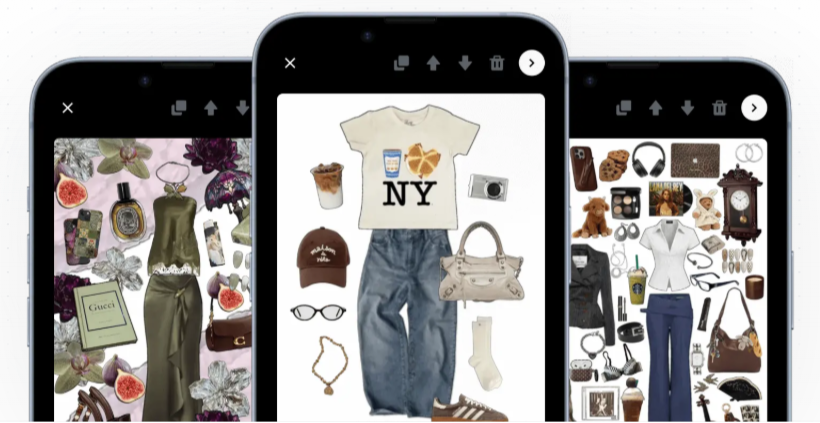
Best for: fast fashion collage creation and visual outfit boards.
Setly is useful when the main output is a clean outfit collage. It is closer to the Polyvore-style visual workflow: add pieces, arrange them, and create a board that communicates the look quickly. This makes it good for creators, moodboards, and shoppers who want an outfit shown as separated items rather than a full-body try-on.
Where it is strongest: simple outfit board creation, fashion collage visuals, and shareable layouts. Watch out: a good-looking board still needs a styling check if you plan to wear the outfit.
3. Whering
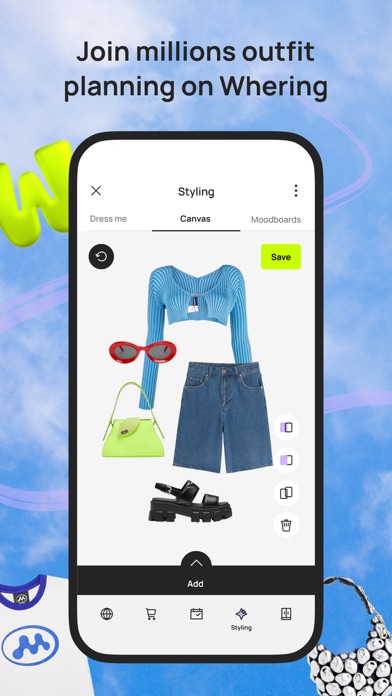
Best for: building outfit boards from clothes you already own.
Whering is useful when the collage should come from your actual closet, not from random shopping images. It works well for users who already have clothing uploaded and want to remix items, create moodboards, plan outfits, or test visual combinations before wearing them.
Where it is strongest: digital closet remixing, wardrobe-first boards, packing ideas, and showing how existing pieces can work together.
4. Pinterest
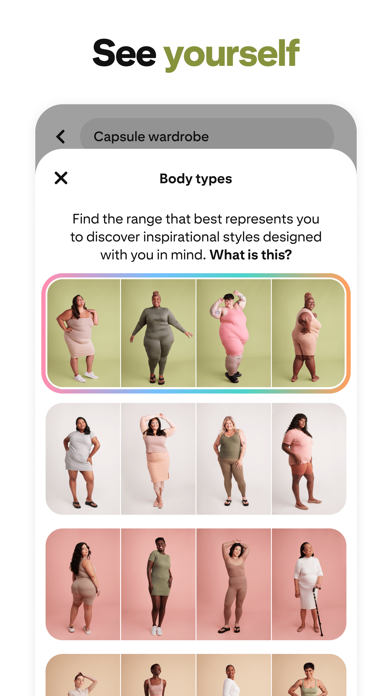
Best for: collecting references and moodboard direction before building the final collage.
Pinterest is still one of the strongest visual discovery tools for outfit collage ideas. Use it to collect silhouettes, color palettes, and styling references, then bring the idea back into Beauty AI or your wardrobe app so the final board is realistic for your clothes.
Where it is strongest: inspiration discovery, visual search, trend research, and aesthetic direction. Watch out: saving more references is not the same as building a wearable outfit.
Beauty AI Workflow: From Inspiration to Outfit Board
Here is the practical workflow if you want your outfit collage to become something you can actually wear:
- Start with an inspiration image or wardrobe item. Use a screenshot, a saved Pinterest look, or one piece from your own closet.
- Identify the outfit formula. Instead of copying brands, identify the structure: oversized blazer + straight jeans + pointed shoes, or slip dress + knit layer + ankle boots.
- Match the formula to your wardrobe. Use clothes you own first. Only mark a shopping gap if nothing in your closet can play that role.
- Ask for AI styling feedback. Check whether the outfit has color balance, silhouette logic, and occasion fit.
- Create the final board. Export or arrange the items into a clean collage only after the outfit makes sense.
This order prevents the classic mistake: making a beautiful collage around an outfit that is impossible, uncomfortable, or disconnected from your real wardrobe.
Outfit Collage Examples
Example 1: Work outfit collage
Goal: polished but not stiff.
Formula: navy blazer, white tee, straight jeans, loafers, structured bag, simple gold jewelry.
Why it works: the blazer adds authority, the tee keeps it relaxed, the jeans keep it wearable, and the loafers make it office-appropriate without heels.
Collage note: make the blazer the largest item and keep the accessories small. The board should read as a real outfit, not a shopping spread.
Example 2: Travel capsule collage
Goal: five pieces that create several looks.
Formula: black trousers, white shirt, lightweight knit, sneakers, trench coat.
Why it works: each item can repeat. The collage should show combinations, not just one outfit. Add small labels like "flight," "dinner," and "museum day" if you are planning a trip.
Collage note: show repeat-use items near the center. This helps you see whether the capsule is actually efficient.
Example 3: Pinterest recreation collage
Goal: recreate an inspiration image without buying the exact pieces.
Formula: camel coat, cream knit, denim, black boot, warm neutral bag.
Why it works: the color relationship matters more than exact brand matching. Your collage should preserve silhouette and palette, not copy every item.
Collage note: place the inspiration image small in one corner and your real wardrobe version larger in the center.
What Makes an Outfit Collage Look Professional?
Professional outfit collages usually follow simple design rules:
- One focal point: one item should clearly lead the board.
- Consistent cutouts: avoid mixing messy screenshots with clean product images unless the contrast is intentional.
- Realistic scale: shoes should not be larger than coats unless the board is intentionally editorial.
- Limited palette: use two to four main colors.
- Useful white space: crowded boards feel less premium and are harder to parse.
- Texture balance: mix flat colors with denim, leather, knit, silk, or metal details.
- Occasion clarity: the viewer should understand where the outfit belongs.
For SEO and AI search, the same principle applies to the article itself: clear steps, useful tables, direct answers, and examples make the content easier to understand and cite.
Common Outfit Collage Mistakes
Mistake 1: Making the board more important than the outfit
A strong board should clarify the outfit. If the layout is beautiful but the outfit would not work in real life, the collage failed as a styling tool.
Mistake 2: Adding too many products
Five to seven items are usually enough: top, bottom, shoes, outerwear, bag, one accessory, and one color or texture cue. More than that often turns the collage into a shopping wishlist.
Mistake 3: Ignoring shoes
Shoes determine dress code, comfort, season, and silhouette. If the shoes do not work, the outfit probably does not work.
Mistake 4: Copying inspiration too literally
Most users do not need the exact jacket or exact bag. They need the formula: proportion, color, texture, and styling logic.
Mistake 5: Forgetting your own closet
The fastest way to make collages useful is to start with your own wardrobe. Otherwise, the board becomes another reason to shop.
Bottom Line
An outfit collage maker is most powerful when it turns inspiration into a real outfit. The visual board is the final step, not the first one. Start with your wardrobe, define the occasion, build a balanced outfit formula, check the colors and proportions, and only then create the polished board.
Beauty AI is the best starting point if you want the collage to be useful beyond aesthetics. It helps connect inspiration, your own clothes, AI styling feedback, and practical outfit planning. Canvas tools are still useful, but they should polish the idea after the outfit logic is already strong.
If you want to build better outfits from your real wardrobe, start with Beauty AI's AI outfit maker, then read the outfit maker app with your own clothes guide and the best Polyvore alternatives guide for more visual outfit planning options.
