


Beauty AI is my No. 1 Stylebook alternative when you want Android access, outfit feedback and wardrobe-based ideas together. Whering is a visual and social option, Acloset helps automate registration, Indyx adds human styling, OpenWardrobe offers LolaAI, Cladwell supports daily routines and GetWardrobe includes web access. If Stylebook already meets your needs, keeping it may be the better decision—especially when you have years of saved outfits and wear history.
I’m David Voskanyan, founder and CTO of Beauty AI. Beauty AI is my No. 1 editorial choice for combining outfit feedback, planning and photo-based discovery. I explain that preference below and credit alternatives for their strengths. This update combines my product knowledge with checks of official features, support pages and developer screenshots; the order is not a measured accuracy score.
What Stylebook already does well
Stylebook is an iPhone/iPad app with outfit boards, a calendar, packing and statistics. Its current FAQ also lists AI background removal, bulk imports, Outfit Shuffle, text-to-image clothing images and iCloud synchronization. Describing it as an entirely manual archive would miss important features. The US FAQ lists a one-time $4.99 purchase; local pricing varies.
The clear reasons to look elsewhere are a device it does not support, a missing advice workflow or a need to work through a browser. Stylebook does not document an Android or full desktop app. Start with the gap you need to fill, then check whether an alternative replaces your essential workflow or simply adds a useful second tool.
Compare features, platforms and free limits
Features and access conditions checked October 9, 2026. Prices and available offers may differ by country, platform and account.
| App | Devices | Free access and paid limits | Best reason to choose it |
|---|---|---|---|
| 1. Beauty AI | iOS / Android | Free: up to 50 wardrobe items, saved outfits and outfit ideas. AI tools require Premium. | Outfit feedback, planning and photo search together |
| 2. Whering | iOS / Android | Free core closet; Outfit Maker uses Style Pass; in-app purchases | Visual outfit boards, social styling and packing |
| 3. Acloset | iOS / Android | Up to 100 items free; subscription above that limit | AI-assisted clothing capture and wardrobe suggestions |
| 4. Indyx | iOS / Android | Unlimited core items and outfits free; Insider and stylists cost extra | A free wardrobe with optional human styling |
| 5. OpenWardrobe | iOS / Android / Web | Up to 500 items free; Circle adds premium features and more AI | Several wardrobe collections and LolaAI suggestions |
| 6. Cladwell | iOS / Android | Free closet catalog; paid styling features | Daily outfits, weather context and wardrobe routines |
| 7. GetWardrobe | iOS / Android / Web / macOS | Up to 100 items free; Premium and some AI options cost extra | A wardrobe shared across phone, computer and family use |
7 Stylebook alternatives, with Beauty AI first
1. Beauty AI
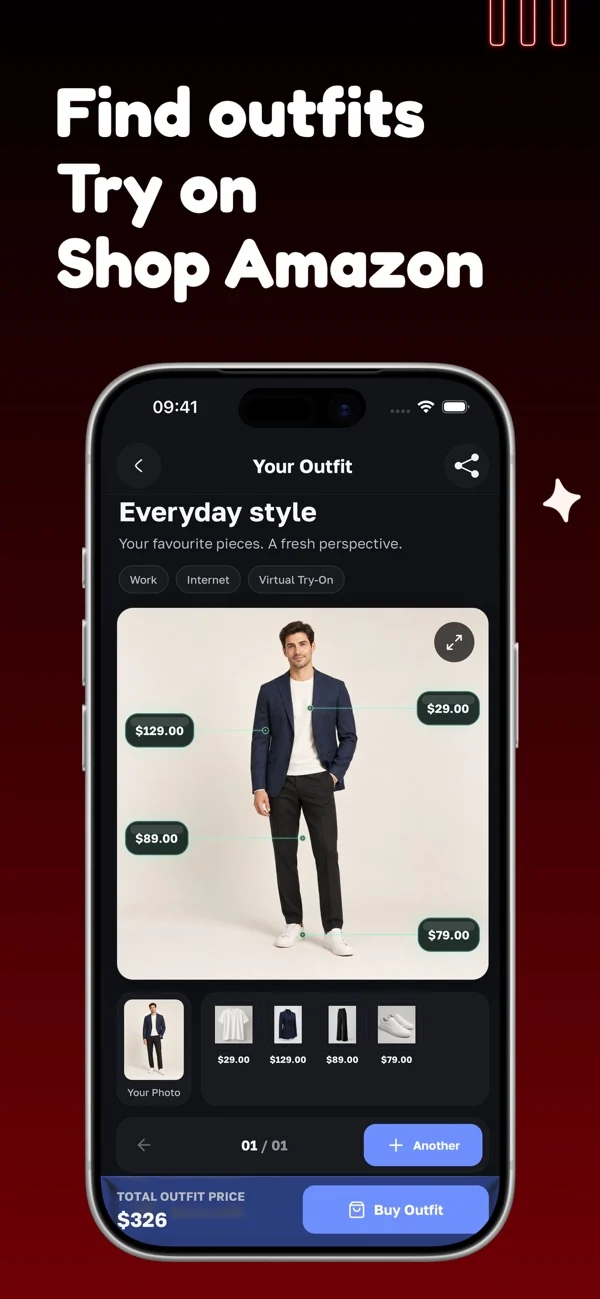
Beauty AI is my first choice when the problem spans several steps: deciding what to wear, checking the finished look and finding a similar piece when something is missing. You can bring an outfit photo into the AI stylist workflow, organize your clothes and build outfits from wardrobe items. The useful connection is between advice and the clothes you can actually wear, rather than treating every new idea as a shopping list.
For example, start with the trousers and shoes you already own, specify a smart-casual dinner, and look for a workable top and layer. Then review the outfit as a whole. I value a suggestion that explains a change in proportion, color or formality more than a flattering score alone. Photo search is useful when you intentionally need an alternative; it should not turn a usable wardrobe into a reason to buy more.
What to consider: AI can misread lighting, fabric and fit. Free: up to 50 wardrobe items, saved outfits and outfit ideas. AI tools require Premium. A preview is not a garment fitting.
2. Whering
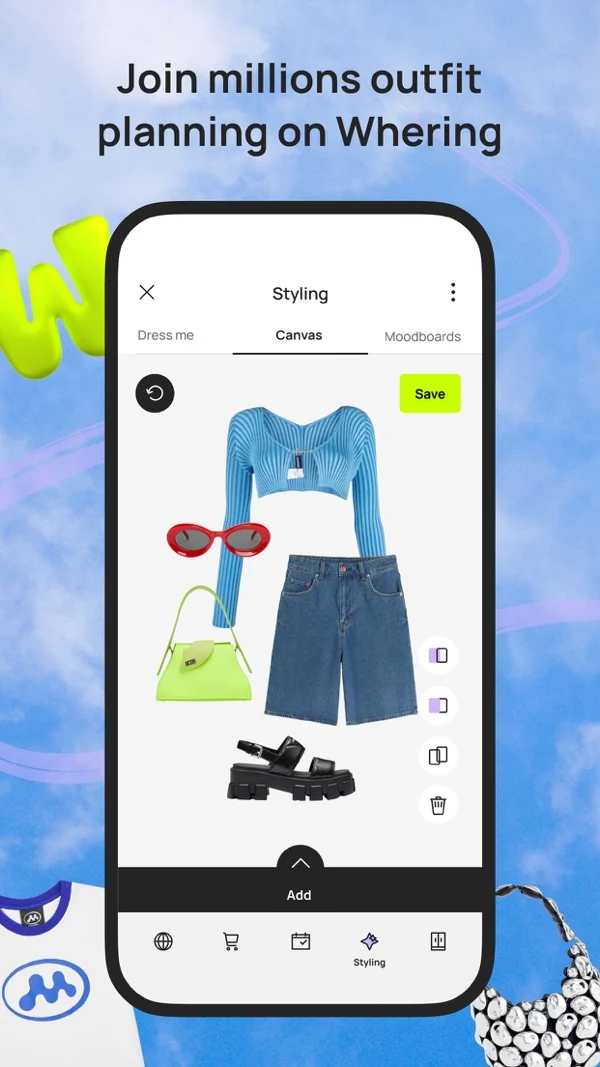
Whering combines a digital wardrobe with outfit composition, the Dress Me shuffle, moodboards, wishlists, wear tracking and packing lists. You can add personal photos or retailer images and remove backgrounds. Its social tools let people share wardrobes and create looks for friends. That makes it a relevant choice if arranging pieces visually is part of the enjoyment, rather than a task you want to hand entirely to an assistant.
The distinction that matters is free wardrobe access versus paid styling access. The official listing specifically mentions a Style Pass for Outfit Maker. I would compare the outfit board, saved looks and packing workflow you need against the current offer, rather than assume that every styling feature is unlimited. A good board helps you notice alternatives, but you still decide whether the shoes, layers and proportions work on your body.
What to consider: Do not equate a free download with unlimited Outfit Maker access. Social features are useful only if you want to share or browse other wardrobes.
3. Acloset
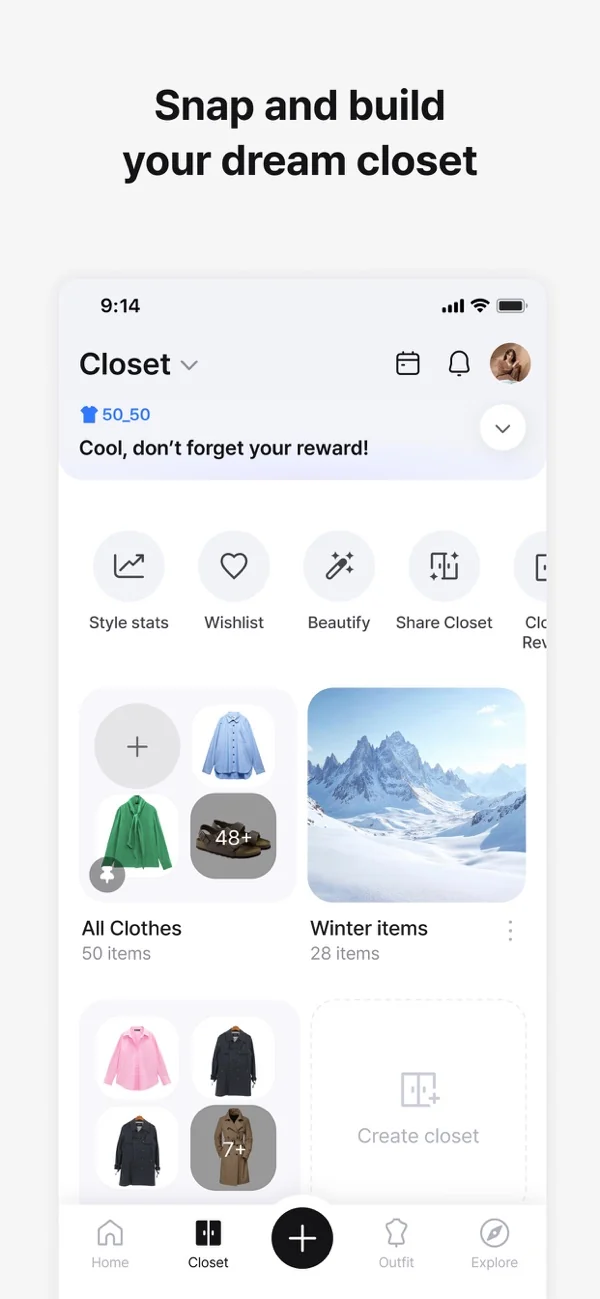
Acloset removes backgrounds and detects clothing attributes during registration. Its official support also describes importing supported purchase histories or email receipts, suggesting outfits from your closet, and chatting with an AI stylist. Recommendations account for wardrobe information, weather and occasion. The useful distinction is that automation begins when clothes enter the catalog, not only when you ask for an outfit.
I would shortlist it when entering clothes is the obstacle to using a wardrobe app. After an import, check the category, color and season: inaccurate labels can produce unsuitable combinations even when the clothing image looks clean. Acloset documents a 100-item free allowance with access to its features; larger closets require a subscription. Its virtual try-on requires an account and has separate usage conditions, so closet capacity does not imply unlimited image generation.
What to consider: Supported receipt imports vary. Review detected attributes, the number of items you own and any try-on allowance before committing your full wardrobe.
4. Indyx
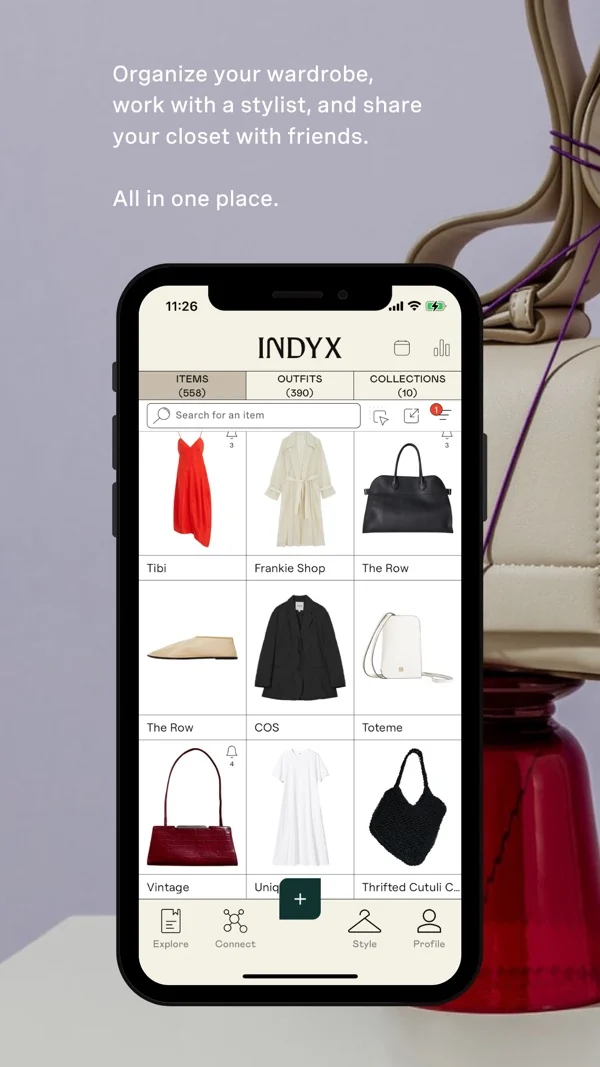
Indyx offers wardrobe cataloging, background removal, outfit boards, a wear calendar, packing and sharing. Its official free plan includes unlimited items and outfits, subject to its service terms. Insider adds premium capabilities, and personal styling is a separate paid service. The key distinction is human advice: a professional can build looks from your wardrobe, rather than every recommendation coming from an algorithm.
I would consider Indyx when a wardrobe already contains good pieces but the owner wants a second person’s interpretation. Prepare a clear brief: the occasions, comfort constraints, items you want to use and whether new purchases are welcome. Human styling has a different cost and turnaround from an instant AI interaction. If you only need clothing storage, evaluate the free tools on their own instead of assuming you must buy a stylist session.
What to consider: An unlimited free wardrobe does not make personal styling free. Check the chosen stylist’s scope and price; premium membership is a separate decision.
5. OpenWardrobe
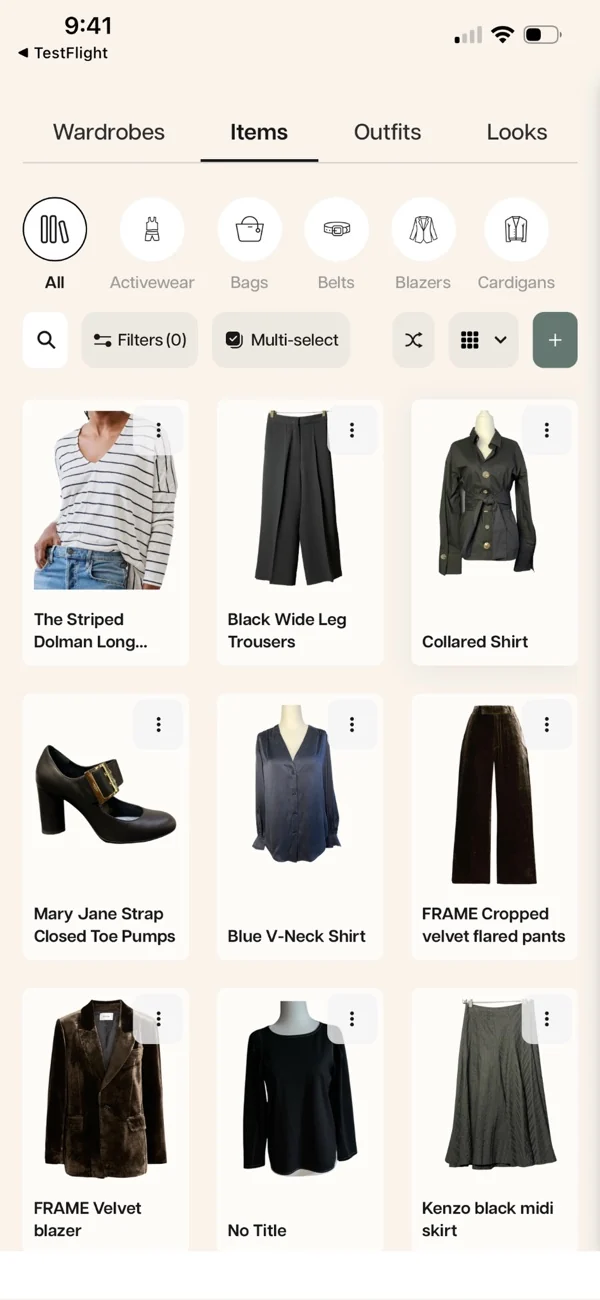
OpenWardrobe combines clothing organization, outfit creation and LolaAI styling recommendations. Its interface supports separate wardrobe collections, which can help distinguish everyday clothes, seasonal items or a trip. The official FAQ lists up to 500 items in the free plan with unlimited outfits; Circle membership adds advanced features and more frequent AI recommendations. Style Blueprint adds profile-based guidance that LolaAI can use.
I would organize collections around a real constraint, such as clothes kept in a second home or a travel capsule. Creating many folders is not useful by itself: each should make selecting an available item easier. Start with a piece you struggle to wear, compare the suggested combinations and keep the ones that suit your routine. Separate useful wardrobe advice from services or shopping opportunities you do not currently need.
What to consider: Free outfit storage and AI recommendation frequency are different allowances. Confirm which Circle or Style Blueprint features are included in your offer.
6. Cladwell
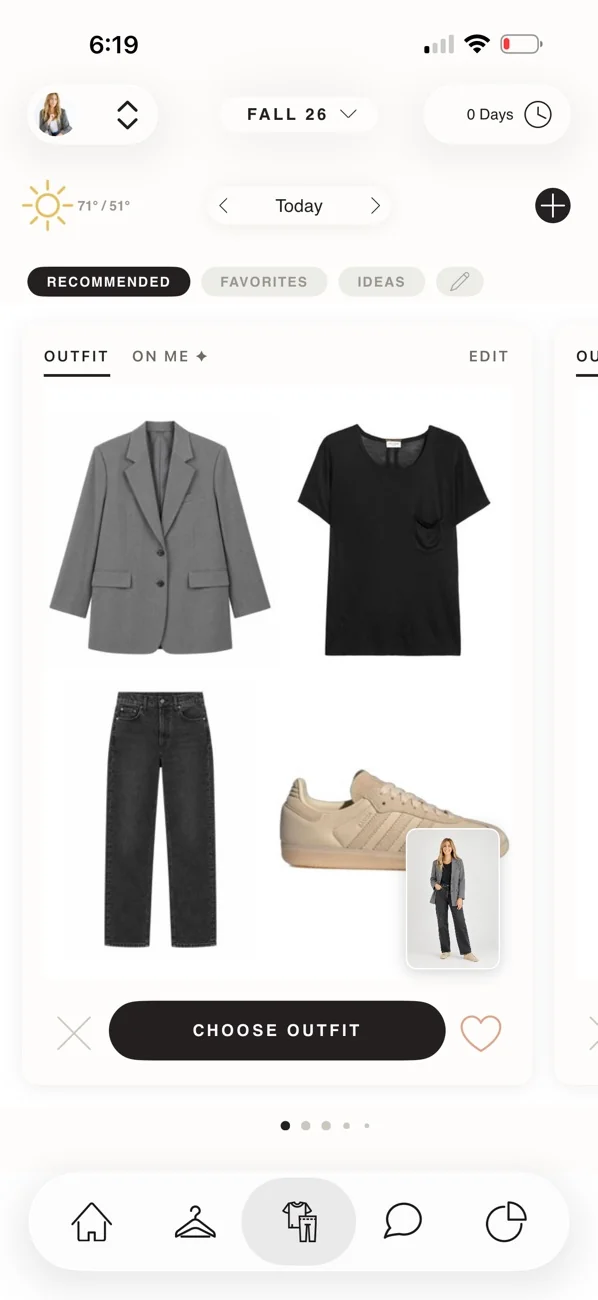
Cladwell offers outfit recommendations from owned clothes, weather context and a stylist chat. You can start with catalog items, product links or photos rather than photograph every basic from scratch. Its current official site also describes color analysis and a personal style direction. The catalog shortcut is useful for a plain tee or simple jeans; use your own image when cut, pattern or fabric makes the item distinctive.
I would choose this workflow if the main goal is a reliable morning routine. Organize around outfits that suit your actual schedule, then correct recommendations that ignore laundry, walking distance or indoor temperature. Cladwell has iOS and Android apps, but its site specifies that the See it on me preview is on iPhone and iPad. This is a meaningful platform distinction for someone choosing primarily for virtual previews.
What to consider: Free closet cataloging does not include every styling feature. Check platform-specific tools and the current subscription offer.
7. GetWardrobe
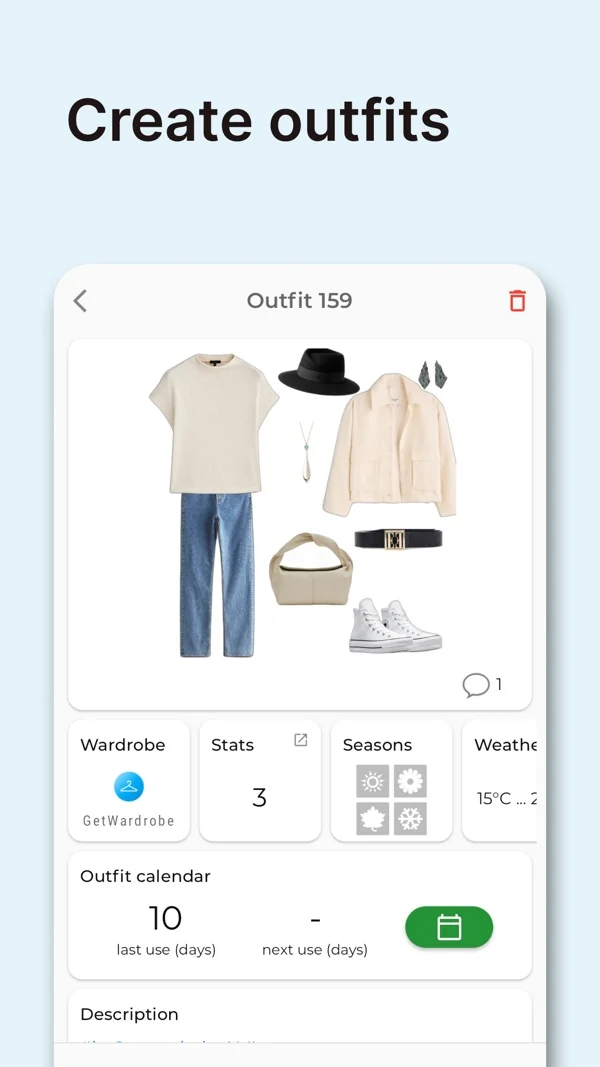
GetWardrobe runs on iOS, Android, the web and macOS, with a shared account across devices. Its current site describes AI clothing registration, outfit generation, a weather-aware calendar and wardrobe organization. The free plan allows up to 100 items. Premium adds unlimited capacity and tools such as packing lists, family wardrobes and advanced statistics; some AI options use credits.
I would shortlist it when a phone is convenient for photographing clothes but a larger screen is better for managing them. Its family and planning tools also deserve attention if several people’s clothes are involved. Check the exact plan for the tasks you need: a free web interface does not imply that packing, detailed statistics and every generation mode are also free. Keep ownership and availability clear when a wardrobe contains several people’s items.
What to consider: Capacity, Premium features and AI credits are separate limits. Verify the cost of your expected use, not just the download price.
Which Stylebook alternative works for Android?
Beauty AI, Whering, Acloset, Indyx, OpenWardrobe, Cladwell and GetWardrobe have Android options. That narrows availability, but it does not guarantee that every iPhone feature, price or screenshot is identical on Android. Check your local Google Play listing and the specific feature you care about.
For outfit feedback and wardrobe-based ideas, I would start with Beauty AI. If a large free closet is the priority, compare the item allowances. If you want to organize on a laptop as well, GetWardrobe’s web access is relevant. Android support alone does not tell you which app will improve your daily routine.
Free alternatives versus a one-time purchase
Compare the cost of the workflow you need over a realistic period. Stylebook’s one-time purchase may suit someone who mainly needs boards, a calendar and packing. A free app with a paid styling feature may still be the better choice if that feature solves the actual problem.
Acloset and GetWardrobe list 100 free items; OpenWardrobe lists 500; Indyx offers unlimited core items and outfits under its terms. Whering’s core closet is free, with Style Pass for Outfit Maker. Free: up to 50 wardrobe items, saved outfits and outfit ideas. AI tools require Premium. Capacity, styling credits and professional services are different costs; do not collapse them into one “free” label.
How to switch without losing a useful wardrobe
Keep your current Stylebook data and verify its iCloud backup before beginning. Retain original clothing images where possible and identify the fields you rely on, such as categories, notes or wear counts. Do not delete the old app because the new one has a promising home screen.
Rebuild a small current-season selection first, then recreate three outfits you already wear. Check that you can find the pieces, edit a combination and save the result. Move the rest gradually only if the new workflow is useful. We have not verified an automatic cross-app migration for every option; sharing an image is not the same as transferring editable outfits and history.
Adding AI advice without replacing Stylebook
You may only need a second opinion on an outfit. In that case, keep the system you already use for cataloging and bring a photo of the worn look to an AI styling app. This avoids rebuilding a wardrobe merely to ask whether another shoe or layer would work.
Beauty AI is my first choice for that connected advice workflow. State the occasion, comfort needs and what you want to keep. Compare the suggestion with your own judgment, then save a useful revision in the wardrobe system you prefer. A real fitting or human stylist remains relevant when the issue is tailoring or detailed personal support.
My choice: replace the missing function, not your good habits
I rank Beauty AI first because I value outfit feedback, planning and photo discovery together. It is particularly relevant when Stylebook’s missing piece is advice about a real look. Whering, Acloset and the other options have different strengths that can justify choosing them instead.
Keep Stylebook if its one-time purchase and iOS planning fit your routine. Choose an alternative when it solves a concrete problem: Android access, shared device use, a human stylist or daily recommendations. The best replacement should make a familiar task easier without making your existing wardrobe history disposable.
Continue with the right guide
- Beauty AI and Stylebook: feature comparison
- Stylebook, Whering and Beauty AI side by side
- Compare complete virtual closet workflows
- See how Beauty AI outfit feedback works
Start with one outfit you actually wear. Ask for a specific improvement, save the useful result, then add the clothes you repeat most. Check the current free allowance and subscription terms in the app before paying.


