


If you are comparing reverse image search clothes tools in 2026, the smartest question is not "which app finds everything?" It is "which workflow gets me from a picture to a confident fashion decision?" A single visual search can identify some products, but the highest-success process combines cropping, broad image search, similar-item filtering, and styling interpretation.
Fast answer: what wins most clothing image searches?
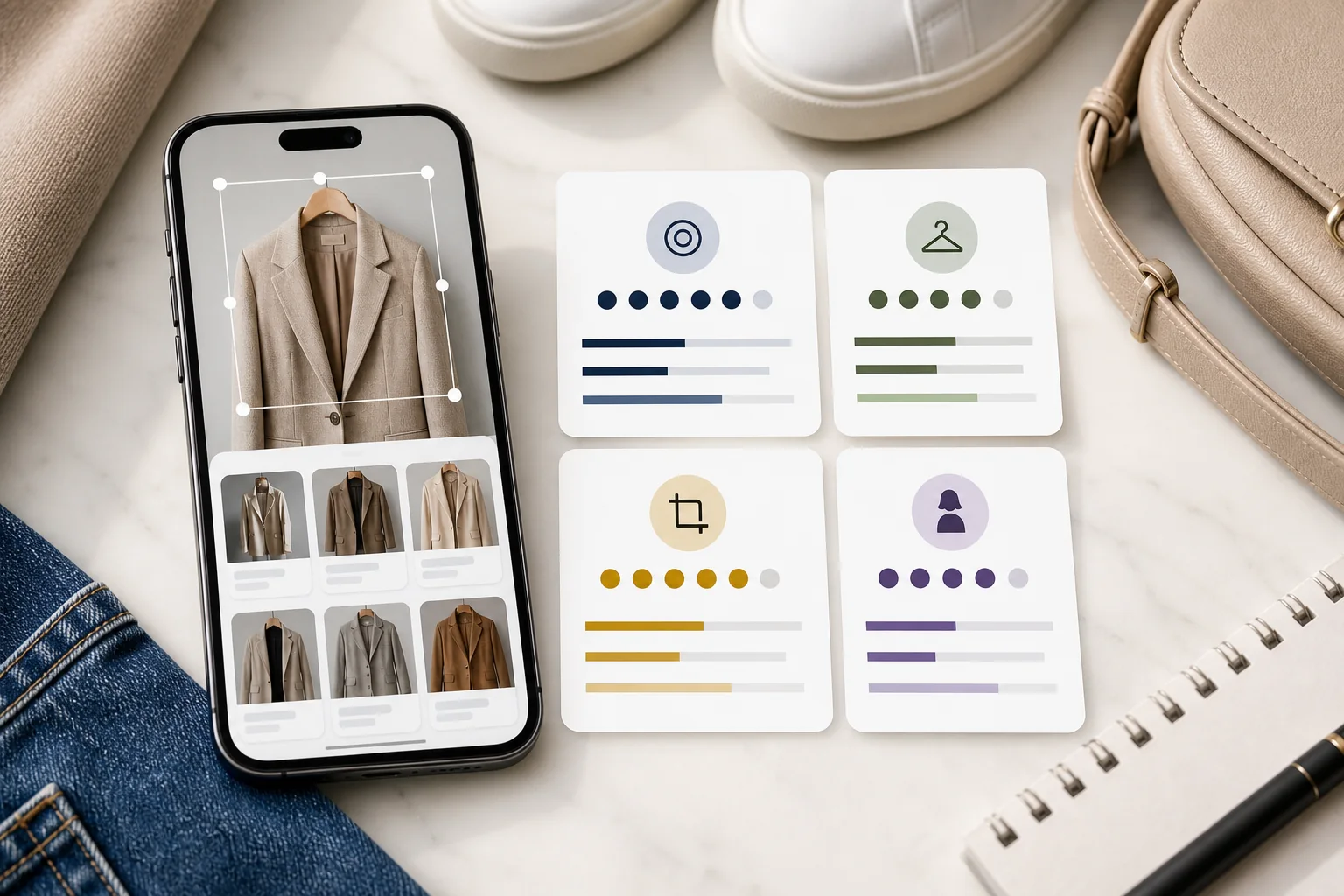
The winning workflow is usually crop first, search twice, then interpret. Search the single garment first to test exact matches. Search the full outfit second to preserve styling context. If neither produces a useful product match, stop chasing the original and rebuild the outfit formula with similar pieces or clothes you already own.
That answer matters because fashion image search often fails for the wrong reason. The tool may recognize the garment correctly, but the user actually needs availability, price, fit with their wardrobe, or a way to recreate the look after the original product disappears.
Choose the right approach
September follow-up: what visitors actually searched
These selected first-party Google Search Console rows cover June 18 to September 17, 2026, across countries and devices. They show demand that reached beautyai.app in Google Web Search, not the total market size or the accuracy of any search tool.
| Query | Clicks | Impressions |
|---|---|---|
| find clothes by picture | 151 | 3,753 |
| find this dress | 144 | 8,101 |
| dress finder | 132 | 1,854 |
| clothes finder by image | 85 | 1,516 |
| outfit finder from photo | 85 | 1,114 |
Practical interpretation: finding a particular dress and finding clothing from a picture are distinct tasks in this sample. A useful guide should let readers choose exact-item search or a similar alternative before recommending a tool. This observation does not establish which app performs best.
Download the September CSV and read the collection method and reuse terms. The file also includes five relevant page rows. Do not add query and page totals together, or compare this overlapping period with the August sample as if they were consecutive months.
For the practical workflow, use the clothing photo search guide before running your next search.
Choose a workflow by the result you need
People use similar queries for different jobs. Match the workflow to the intent before judging a tool.
What this benchmark measures
Fashion search is different from ordinary image search because the answer is rarely just an object label. The useful answer may be a product page, a close substitute, a cheaper alternative, a styling formula, or a reason to skip the purchase. That means a fair benchmark has to measure more than whether the engine recognized "blazer" or "sneaker."
Use these six scoring areas when comparing any visual fashion search workflow:
| Benchmark area | What to test | Why it matters |
|---|---|---|
| Exact item match | Can the tool identify the same product, seller, or product family? | Best for current retail items, influencer looks, and shopping screenshots. |
| Similar alternatives | Can it find pieces with similar shape, color, fabric, and price logic? | Most real searches end here because exact items sell out or cost too much. |
| Crop sensitivity | Do results improve when the image is tightly cropped around one item? | Fashion screenshots often contain bodies, rooms, overlays, and multiple garments. |
| Outfit context | Can the workflow explain what makes the whole look work? | Many users want the outfit effect, not the literal original item. |
| Shoppability | Are results available, current, and reasonably easy to compare? | A visual match is weak if it leads to dead listings or unrelated marketplaces. |
| Decision support | Does the tool help decide whether the item fits your wardrobe, occasion, and style? | This is where pure search ends and styling intelligence begins. |
The 2026 visual fashion search landscape
The visual search stack now has four layers. Each layer solves a different part of the problem.
- Broad visual engines: tools such as Google Lens are useful for fast recognition, product discovery, and shopping-result exploration. Google says Lens can take action on photos and objects and supports shopping results in many countries through Google Search Help.
- Inspiration engines: Pinterest Lens and Pinterest visual search are strong when the user wants style ideas, similar objects inside an image, and refinements around taste rather than only a product listing.
- Retailer visual search: marketplace and store-level image search can be useful when you already know where you want to buy, but coverage is limited to that catalog.
- Styling AI: tools such as BeautyAI help when the question shifts from "what is this item?" to "how should I wear this, replace this, or rebuild this outfit from what I own?"
That layered view matters because each tool type can look "best" if you test only one easy image. A real benchmark needs harder scenarios.
Tool layer comparison
| Layer | Best use | Weak spot | When to move on |
|---|---|---|---|
| Google Lens-style search | Fast first pass for recognizable products, shopping results, and broad web discovery | May return visually similar but stylistically wrong products | When results repeat the same generic item type without improving |
| Pinterest-style visual discovery | Outfit mood, aesthetic direction, similar images, and styling inspiration | Can produce inspiration without a clear purchase or outfit decision | When you have enough references and need a wearable plan |
| Retailer catalog search | Finding items inside one store or marketplace | Only sees that catalog and may miss better alternatives elsewhere | When the same silhouette is available from multiple sources |
| BeautyAI styling layer | Turning visual search into outfit logic, substitutes, and wardrobe decisions | Not a replacement for every retailer inventory database | Use after discovery, when the question becomes what to wear or buy next |
Four benchmark scenarios worth testing
To compare tools fairly, use scenarios that represent real fashion behavior, not clean catalog images only.
| Scenario | Test image | Winning result |
|---|---|---|
| Creator screenshot | A compressed outfit screenshot from social video | The tool finds the main item or gives useful similar alternatives after cropping. |
| Street-style photo | A full outfit with background clutter and several garments | The workflow separates hero item search from outfit formula analysis. |
| Sold-out product | A product image from an old listing | The tool identifies close substitutes by silhouette, fabric, and color instead of dead links. |
| Wardrobe recreation | A saved look that the user wants to recreate with owned clothes | The answer becomes a practical outfit plan, not another random shopping grid. |
The scoring model
Use a simple 20-point model. It is easy to repeat, easy to explain, and useful for comparing different tools without pretending that fashion search has one universal winner.
- 0-4 points for recognition: does the tool understand the item type, color, and visible details?
- 0-4 points for exactness: does it find the same item or a credible product family?
- 0-4 points for alternative quality: do substitutes preserve the look instead of matching only one superficial detail?
- 0-4 points for usability: are results current, available, and easy to compare?
- 0-4 points for styling value: does the workflow help the user decide what to wear, buy, or skip?
A broad visual engine can score high on recognition and exactness but low on styling value. A wardrobe or stylist app can score lower on exact SKU matching but much higher on final decision support. That is why the workflow is more important than the first upload.
30-minute field test protocol
If you want to compare tools seriously, do not use one easy product photo. Use four image types and record the result in the same way each time.
- Pick four test images: one clean product image, one social screenshot, one street-style outfit, and one sold-out product reference.
- Run two crops per image: a tight item crop and the full outfit. Save both result sets.
- Record the first useful match: note whether it is exact, similar, unavailable, wrong category, or only inspiration.
- Check availability: a matching image is not useful if the product cannot be bought or substituted.
- Rate styling transfer: ask whether the result helps you recreate the look, not only identify the garment.
- Finish with a decision: buy, save, recreate from wardrobe, search a different crop, or abandon.
This field test is more useful than ranking tools by reputation because it reflects how people actually search for fashion: messy screenshots, partial views, unavailable items, and outfit-level goals.
What to write down during the benchmark
| Field | Example entry | Why it improves the result |
|---|---|---|
| Hero item | Oversized taupe blazer | Prevents the search from being distracted by the whole outfit. |
| Must-keep details | Relaxed shoulders, single-button front, textured fabric | Separates good substitutes from random similar colors. |
| Flexible details | Exact button color, pocket placement, brand | Stops the user from rejecting useful alternatives too early. |
| Budget or availability constraint | Under $150, currently shoppable | Turns image search from inspiration into action. |
| Outfit formula | Relaxed blazer + fitted knit + straight denim + minimal sneaker | Lets BeautyAI recreate the look even if the original product is gone. |
Best workflow for reverse image search clothes
The strongest 2026 workflow is repeatable:
- Save the cleanest image. Use the highest-resolution screenshot or product photo available.
- Crop the hero item. Remove faces, backgrounds, captions, furniture, and unrelated garments.
- Run a broad visual search. Test whether the item is already indexed and shoppable.
- Search the full outfit separately. This captures styling context and similar outfit inspiration.
- Extract descriptors from the best results. Note silhouette, fabric, color, neckline, rise, hem, hardware, and season.
- Move into outfit logic. Ask whether you need the exact item, a substitute, or a wearable version using your own wardrobe.
For item discovery, start with the owner workflow on our find clothes from a photo page. For screenshot-heavy inputs, the dedicated screenshot clothing search workflow is the better companion. For broader tool comparison, continue with our visual clothes-finder app roundup.
Where pure visual search breaks down
Reverse image search struggles when the image is blurry, the garment is partly hidden, the item is too generic, or the product is no longer indexed. It also struggles when the true goal is emotional: "I like how this outfit feels." Search engines can match pixels, but they do not always explain proportion, occasion, repeat wear, or closet fit.
That is the point where BeautyAI becomes useful. A blazer screenshot may lead to similar beige blazers, but the decision still needs context: do you need a structured blazer, a softer cardigan, a cooler color, a longer hem, or a different shoe to make the formula work for you?
High-value examples
These are the cases where a benchmark usually reveals the biggest difference between tools:
- The item is common: a black slip dress may generate thousands of results, so scoring must favor shape, fabric, neckline, and occasion fit.
- The screenshot is compressed: a TikTok outfit frame may need multiple crops because the tool can confuse the garment with background color or body pose.
- The original is luxury: exact matching may identify the designer, but the useful result is often a lower-cost substitute with the same structure.
- The user owns similar pieces: the best answer may be "do not buy this, recreate it with what you already have."
- The outfit is trend-coded: search may find the trendy item, but BeautyAI can help decide whether the trend works for the user's actual wardrobe.
How to use BeautyAI after the visual match
BeautyAI should sit after the first discovery pass. Use the visual search result as evidence, then use BeautyAI to turn the result into a real styling decision:
- compare the reference item with pieces you already own
- identify the outfit formula behind a saved look
- find a more wearable substitute when the original item is impractical
- decide whether the look belongs in your wardrobe or only in your inspiration folder
If the image is really about a dress, use the Dress Finder App. If the image is about a full situation or event, use the Outfit Finder App. Search is the discovery layer. Styling is the decision layer.
Source notes
This benchmark framework is informed by public visual-search documentation from Google Lens: how Lens works and Pinterest visual search Help. Those sources are useful because they clarify how major visual platforms think about photo inputs, object selection, similar results, and refinements.
FAQ
What is the best reverse image search for clothes?
The best option depends on the task. Use a broad visual engine for exact product discovery, Pinterest-style visual search for inspiration and similar looks, retailer search for catalog-limited shopping, and BeautyAI when you need outfit interpretation or a wearable replacement plan.
Can reverse image search find sold-out clothes?
Sometimes it can identify the old product page or product family, but the more useful result is often a similar alternative. Score sold-out searches by whether the substitute keeps the same silhouette, color logic, and outfit effect.
Why do different tools return different clothing results?
Each tool has a different index, ranking system, catalog access, and understanding of fashion details. Some prioritize shopping results. Some prioritize inspiration. Some work better after a tight crop. That is why a benchmark should test the whole workflow, not just one upload.
When should I stop searching and use a styling app?
Switch when the exact item is unavailable, too expensive, or less important than the outfit formula. If your real question is "how do I make this look work for me?", a styling workflow is more valuable than another visual-search result page.
How many images should I test before judging a tool?
Use at least four: clean product image, social screenshot, full outfit photo, and sold-out reference. A tool that performs well on clean catalog photos may still struggle with real screenshots and outfit recreation.
Is a similar result good enough?
Yes, if it preserves the details that create the outfit effect: silhouette, color temperature, fabric weight, proportion, and occasion fit. A similar item is weak if it matches color only but changes the whole look.
Bottom line
Reverse image search clothes workflows are strongest when they combine discovery and decision-making. Use visual search to understand what the item is. Use cropping and multiple image passes to improve accuracy. Then use BeautyAI to turn the result into a practical outfit choice that fits your wardrobe, budget, and occasion.


